Motherboards button
Serie Placas Base
Graphics Card button
Serie Placas de video
Monitors button
Monitor De Juego
Power Supply button
Power Supply
Mini PC button
Serie Mini PC
AIO Liquid Coolers button
AIO Liquid Coolers
Industrial PC button
Serie PC Industrial
Server/WS button
Serie Servidor / Estación de trabajo
Loading

Usamos cookies para ofrecerle una experiencia más personalizada y fluida.
Al visitar este sitio web, acepta nuestro uso de cookies. Si prefiere no aceptar cookies o necesita más información, visite nuestra Política de privacidad.
FAQ - Preguntas más frecuentes

Si está completamente seguro de la categoría de su pregunta, puede elegir más abajo una de las categorías para preguntas más frecuentes. Catálogo de Preguntas más frecuentes:

Resultados:
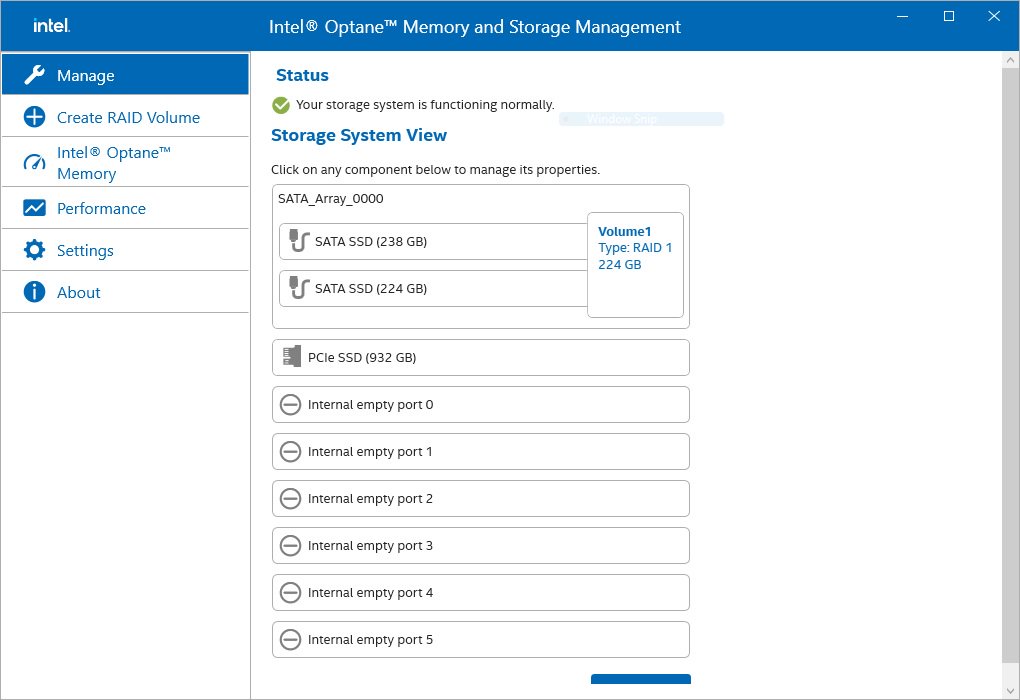
P (510): How to check the RAID configuration via the Intel RST application under Windows 11?(12/15/2021)
R:Please refer to the following steps to check the RAID configuration.

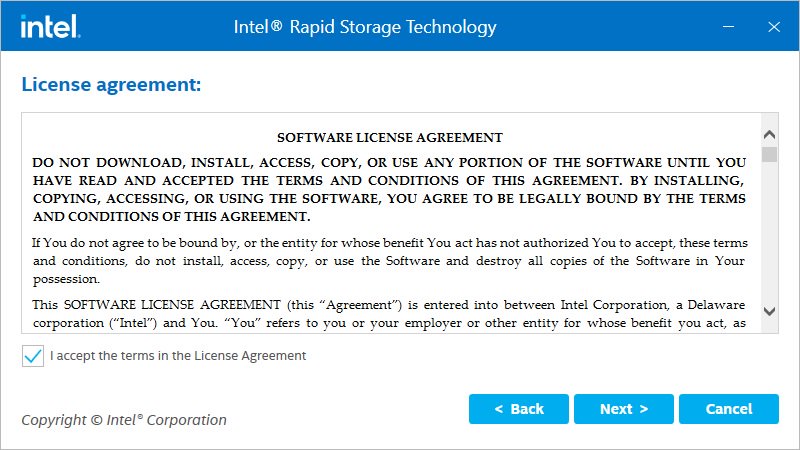
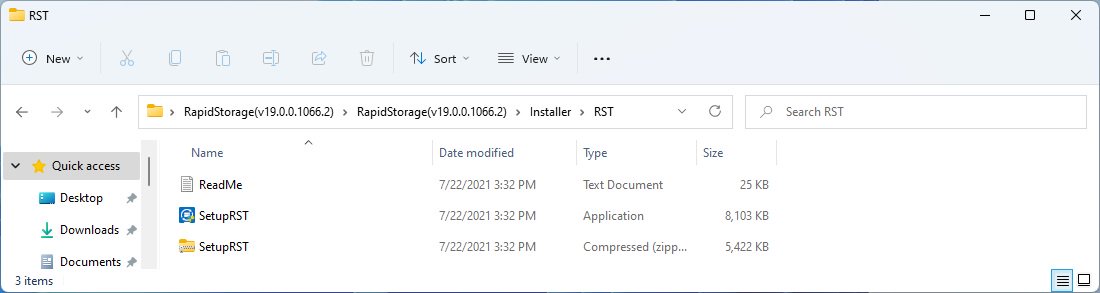
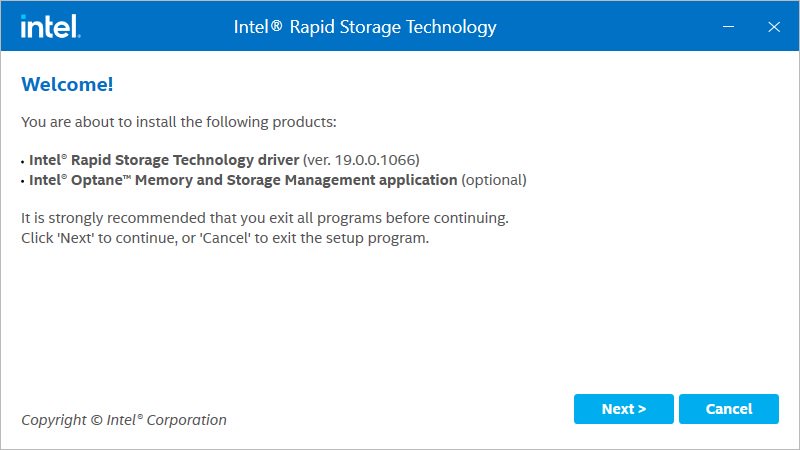
Step 1: Obtain the Intel(R) RST driver installation package and run the executable (SetupRST.exe).
*RST driver can be obtained via the download section of the product page on the ASRock website.
*Default settings and name of the driver may vary and is subject to change without notice.

How to check the RAID configuration via the Intel RST application under Windows 11?

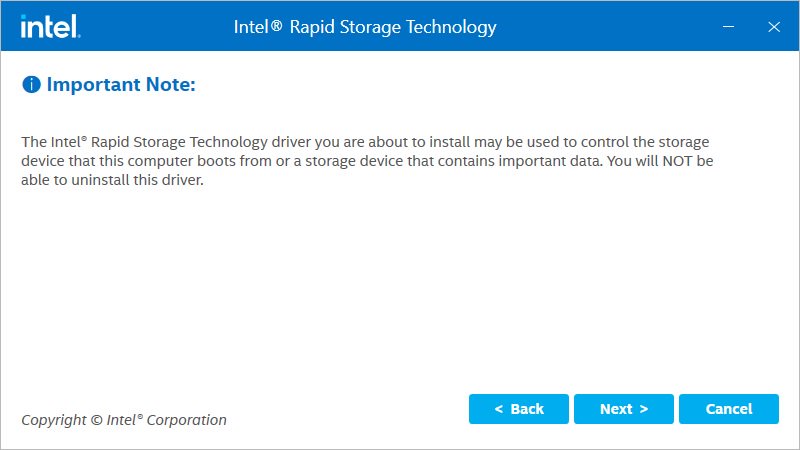
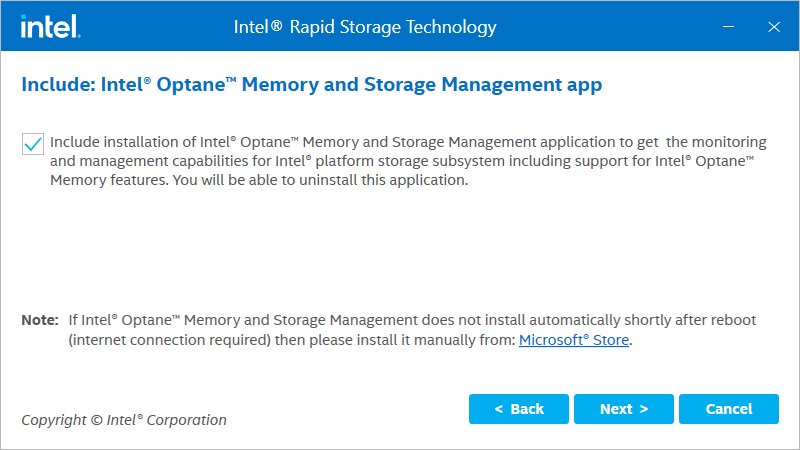
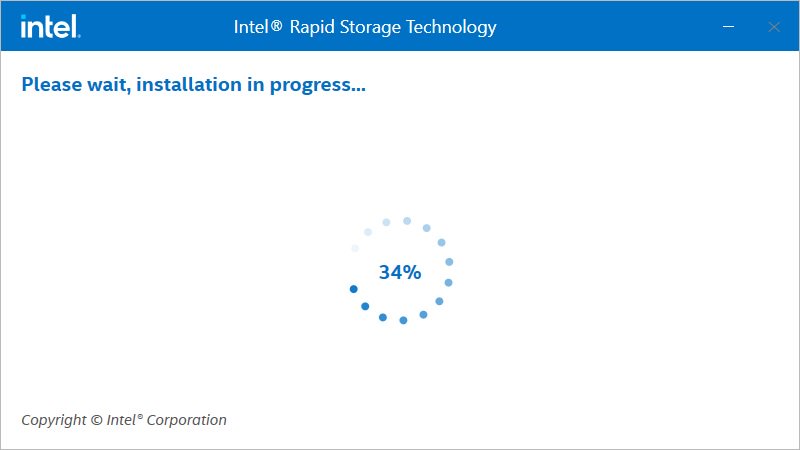
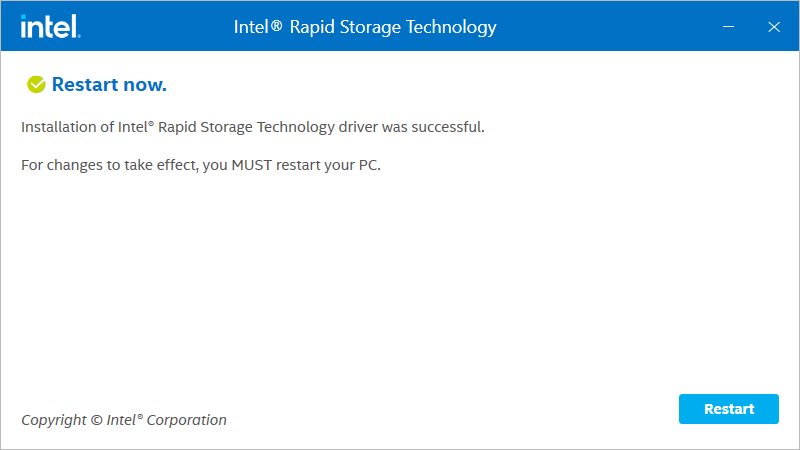
Step 2: Install using the default setting and reboot the computer.

How to check the RAID configuration via the Intel RST application under Windows 11?

How to check the RAID configuration via the Intel RST application under Windows 11?

How to check the RAID configuration via the Intel RST application under Windows 11?

How to check the RAID configuration via the Intel RST application under Windows 11?

How to check the RAID configuration via the Intel RST application under Windows 11?

How to check the RAID configuration via the Intel RST application under Windows 11?

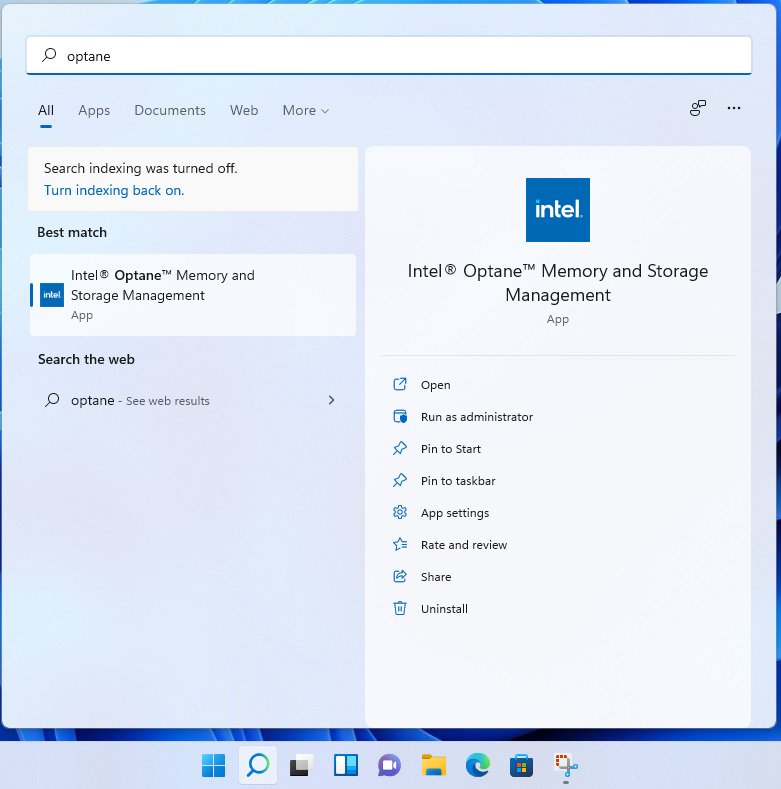
Step 3: From Windows desktop, find and launch the Intel® Optane(TM) Memory and Storage Management application.

How to check the RAID configuration via the Intel RST application under Windows 11?

How to check the RAID configuration via the Intel RST application under Windows 11?