A:
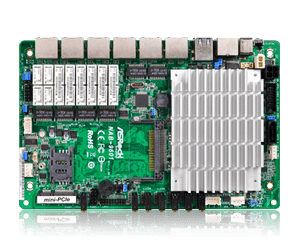
For the motherboards with a regular CR2032 battery:
1. Locate the battery on the board.
On some models, it will be under a heatsink.
The motherboard layout drawing in the user manual often shows the location.
2. Push the latch to the side to release the battery.
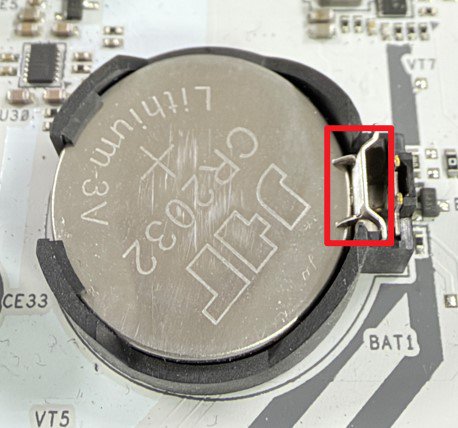
3. Replace the battery with a new one.
For the motherboards with a wired CR2032W battery:
1. Locate the battery on the motherboard.
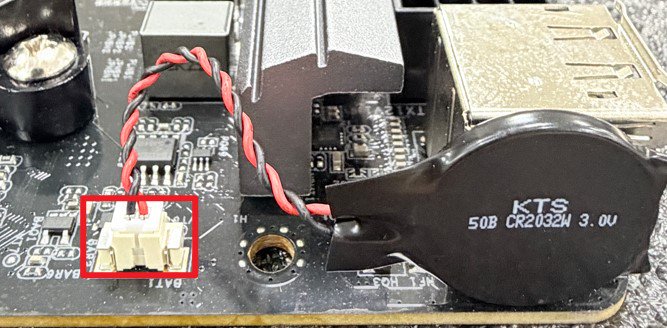
2. Disconnect the battery cable from the header.
The battery is usually fixed to some metal part with double-sided foam tape.
Simply pull the battery off of the surface it is stuck to.
3. Replace the battery with a new one.
Note:
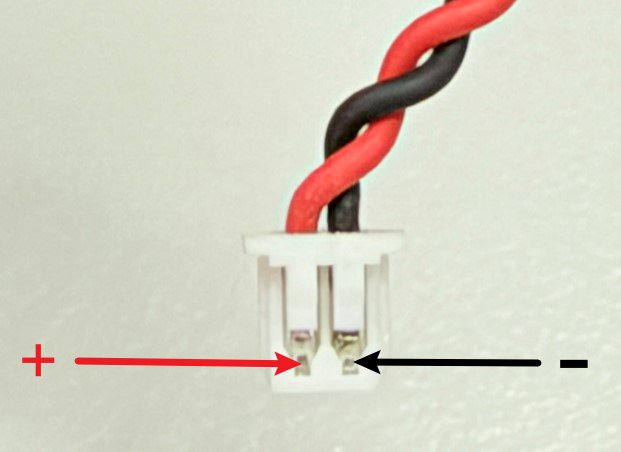
For models with a wired CR2032W battery, ASRock typically uses a version with reversed polarity.
Please see below picture for the correct polarity. When searching for a replacement, please check for "reversed polarity” and verify the connector looks identical.
#CMOS #battery #battery
 Menu
Menu