A:Before setting Teaming function, please make sure if your Switch (or Router) could support Teaming (IEEE 802.3ad Link Aggregation) function. (For example: D-Link DGS-3100…)
Then, please refer to following steps to set "Teaming function"...
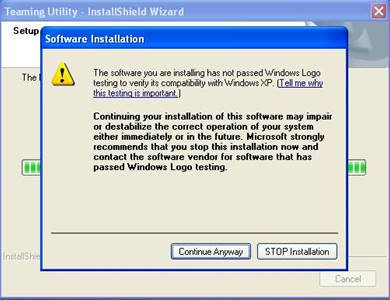
1. Install RtkTeaming driver ver.1.0.0.51 from Motherboard Support CD
(/Driver/Teaming/ RtkTeaming 1.0.0.51…)
(*When installing teaming driver, system will show below warming message. Please choose "Continue Anyway" and keep installing driver.)
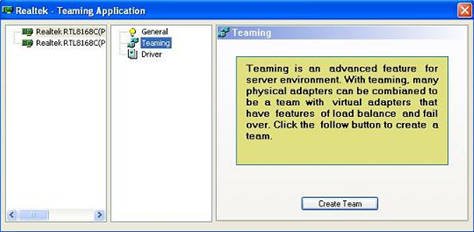
2. After installing driver, please open "Teaming Utility" in Programs. (Start > Programs > Realtek > Teaming Utility >…)
3. Click "Teaming" item and then press "Create Team" button.
4. Key in Team Name and choose "Link Aggregation \ LACP (802.3ad)" for Settings.
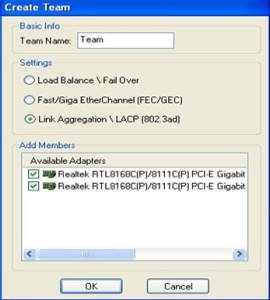
5. Select two available onboard LAN cards and then press "OK" button (After pressing "OK" button, system will show below warming message. Please choose "Continue Anyway".)
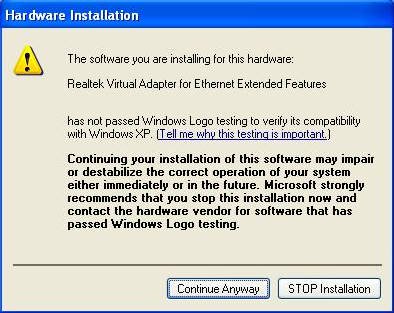
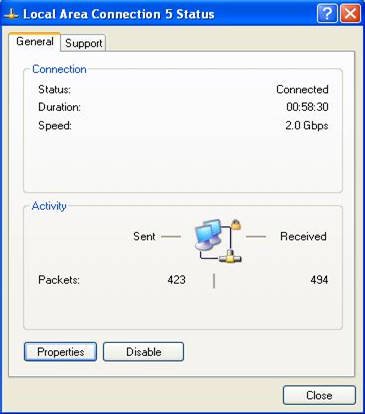
6.After doing above settings, system will auto create a new Local Area Connection
7.Reboot system
Then, you will find the "Speed" column of new Local Area Connection will show 2.0Gbps.
 Menu
Menu







