Motherboards button
Mainboard
Graphics Card button
Grafikkarte
Monitors button
Gaming-Monitor
Power Supply button
Power Supply
Mini PC button
Mini-PC
AIO Liquid Coolers button
AIO Liquid Coolers
Industrial PC button
Industrie-PC
Server/WS button
Server/Workstation
Loading

Wir verwenden Cookies, um Ihnen ein individuelles und reibungsloses Erlebnis zu bieten.
Wenn Sie diese Website besuchen, stimmen Sie unserer Verwendung von Cookies zu. Wenn Sie es vorziehen, keine Cookies zu akzeptieren oder weitere Informationen benötigen, lesen Sie bitte unsere Datenschutzerklärung.
FAQ

Fallls Sie wissen, in welche Kategorie Ihre Frage gehört, können Sie hier die Kategorie der häufig gestellten Fragen auswählen. Katalog:

Ergebnisse:
Q (Q&A-147|482): How do I configure clone mode in triple displays under Intel platform?(9/1/2019)
A:Please refer to the following procedures to adjust display settings under Intel® Graphics Control Panel:
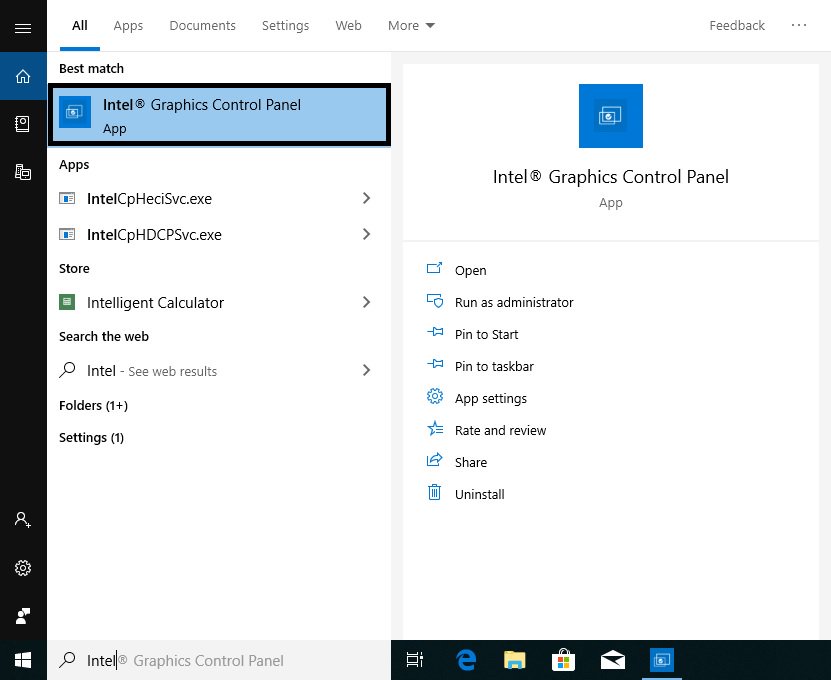
Step 1. Please search "Intel® Graphics Control Panel” in Windows search bar and open it.
*System will auto-download the Intel® Graphics Control Panel from internet after installing the onboard VGA driver.
If the App doesn't exist in your system, please visit Intel or ASRock website to install the latest Graphics driver for your system.


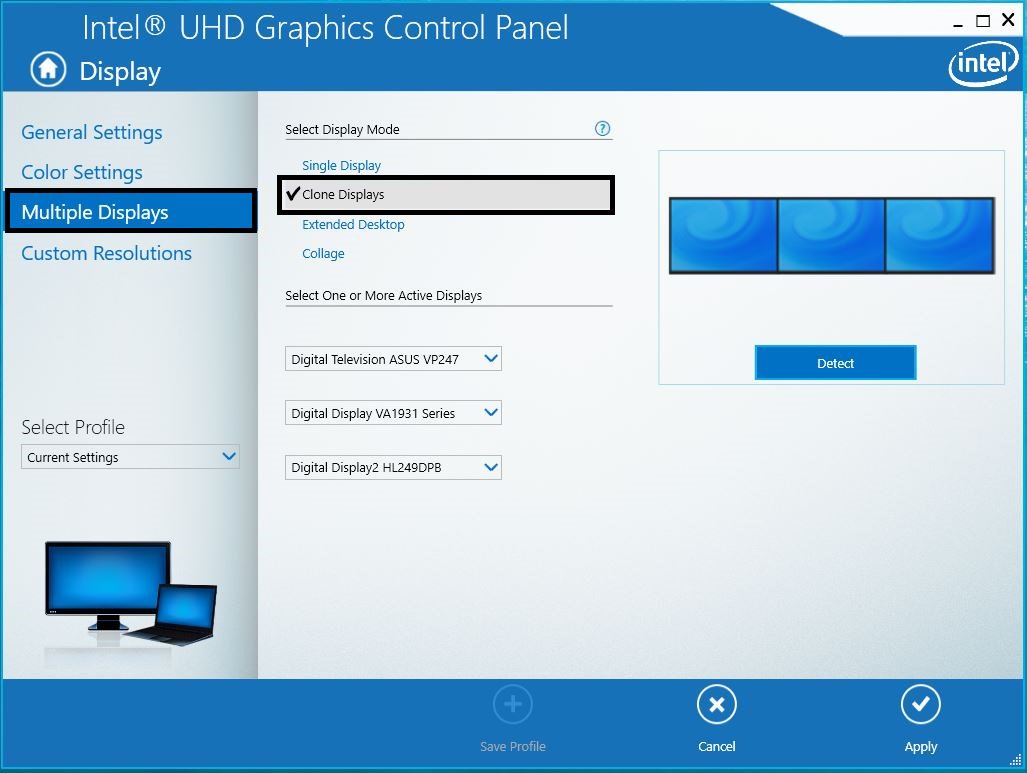
Step 2. Select "Clone Displays” under "Multiple Display” and then click "Apply” to apply the change.