Motherboards button
Mainboard
Graphics Card button
Grafikkarte
Monitors button
Gaming-Monitor
Power Supply button
Power Supply
Mini PC button
Mini-PC
AIO Liquid Coolers button
AIO Liquid Coolers
Industrial PC button
Industrie-PC
Server/WS button
Server/Workstation
Loading

Wir verwenden Cookies, um Ihnen ein individuelles und reibungsloses Erlebnis zu bieten.
Wenn Sie diese Website besuchen, stimmen Sie unserer Verwendung von Cookies zu. Wenn Sie es vorziehen, keine Cookies zu akzeptieren oder weitere Informationen benötigen, lesen Sie bitte unsere Datenschutzerklärung.

FAQ

Fallls Sie wissen, in welche Kategorie Ihre Frage gehört, können Sie hier die Kategorie der häufig gestellten Fragen auswählen. Katalog:

Ergebnisse:
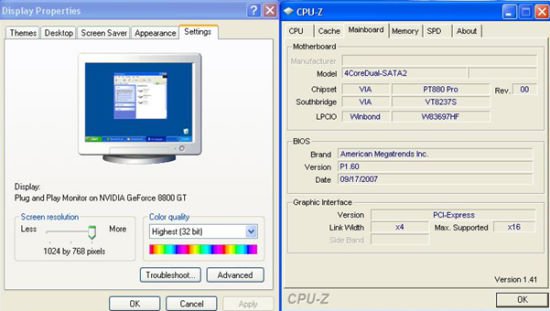
Q (Q&A-59|214): I use a NVIDIA® 8800GT PCIE VGA card on VIA® chipset motherboard. But I got black screen on the monitor. How do I solve it?(11/5/2007)
A:The NVIDIA® 8800GT PCIE VGA card is GEN2 mode VGA card. Unfortunately VIA® chipset does not support GEN2 mode VGA card. The only solution is to set 8800GT PCIE VGA card to GEN1 mode.
We have tested 8800GT PCIE VGA card. After flashing GEN1 mode BIOS for 8800GT, it works fine on VIA® chipset motherboard.

Please contact VGA card vender to get the VGA BIOS with GEN1 mode for your 8800GT PCIE VGA card.






