We use cookies to offer you a more personalized and smoother experience. By visiting this website, you agree to our use of cookies. If you prefer not to accept cookies or require more information, please visit our Privacy Policy.

Necessary cookies These cookies are essential for the proper functioning of the website and cannot be turned off.
Analytics cookies These cookies help us understand how visitors use our website.
Marketing cookies These cookies are used to track visitors and display relevant advertisements.
Social media cookies These cookies allow you to share pages and content on social media.
Question: When I record via the Microphone in Windows 10 1909, there are hissing noises from the recordings.(1/1/2020) Answer: If hissing noise is heard from recordings, please choose one of the methods below to avoid hissing noise.
Method 1:
Step 1.
Download the Realtek high definition audio driver from the ASRock website.
*Please make sure your LAN cable is connected when installing the Realtek audio driver.
Step2:
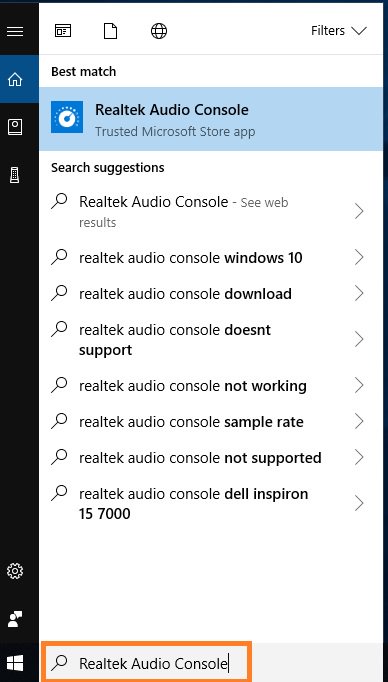
Open the "Realtek audio console”.
Step 3.
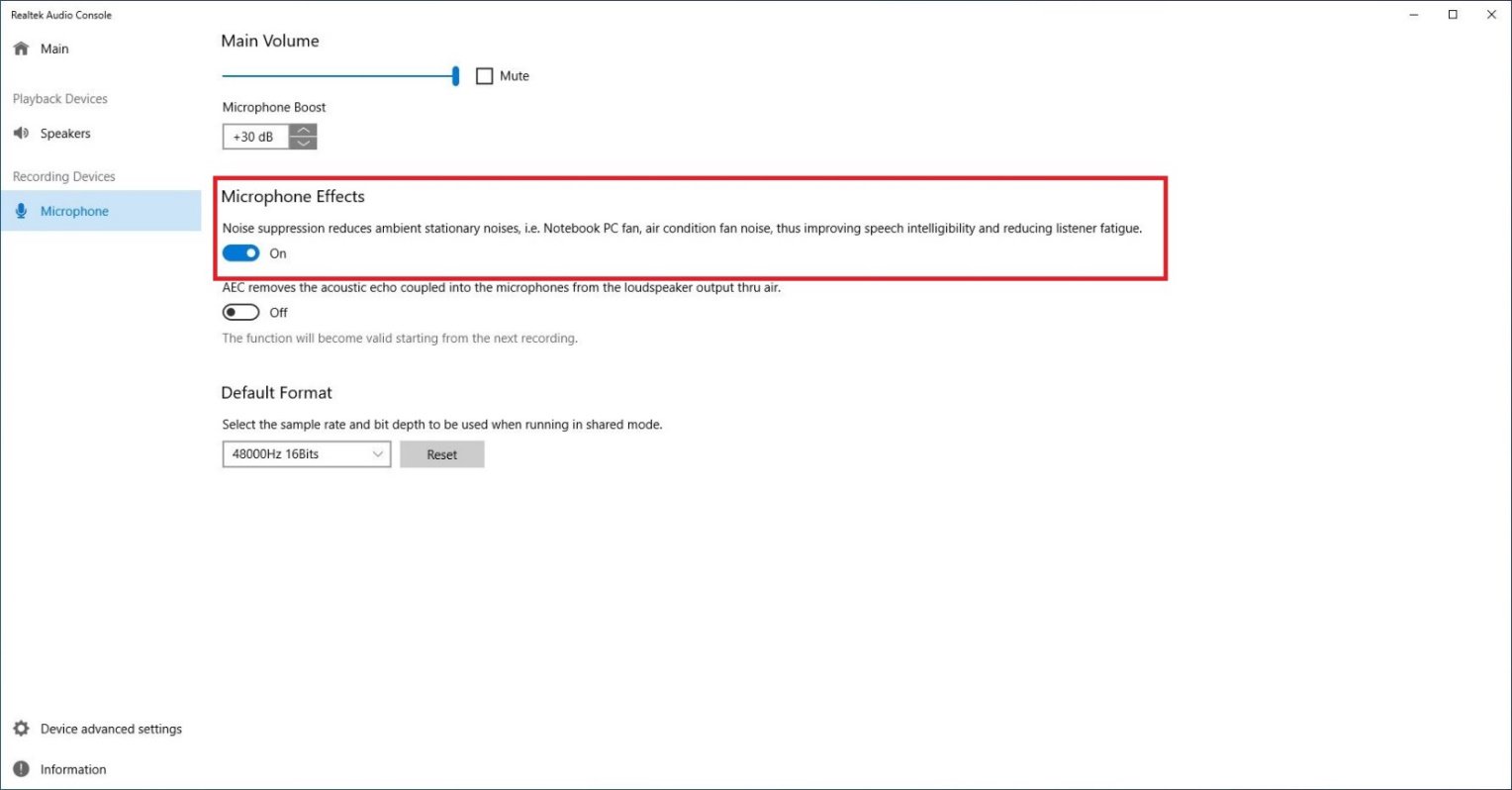
Turn on the "Noise suppression reduces ambient stationary noises” option in the Realtek audio console APP.
Step 4.
Once the setting above is enabled, recording quality will be improved.
Method 2:
Step 1.
Refer to step 1 and step 2 of method 1 to open the "Realtek audio console”.
Step 2.
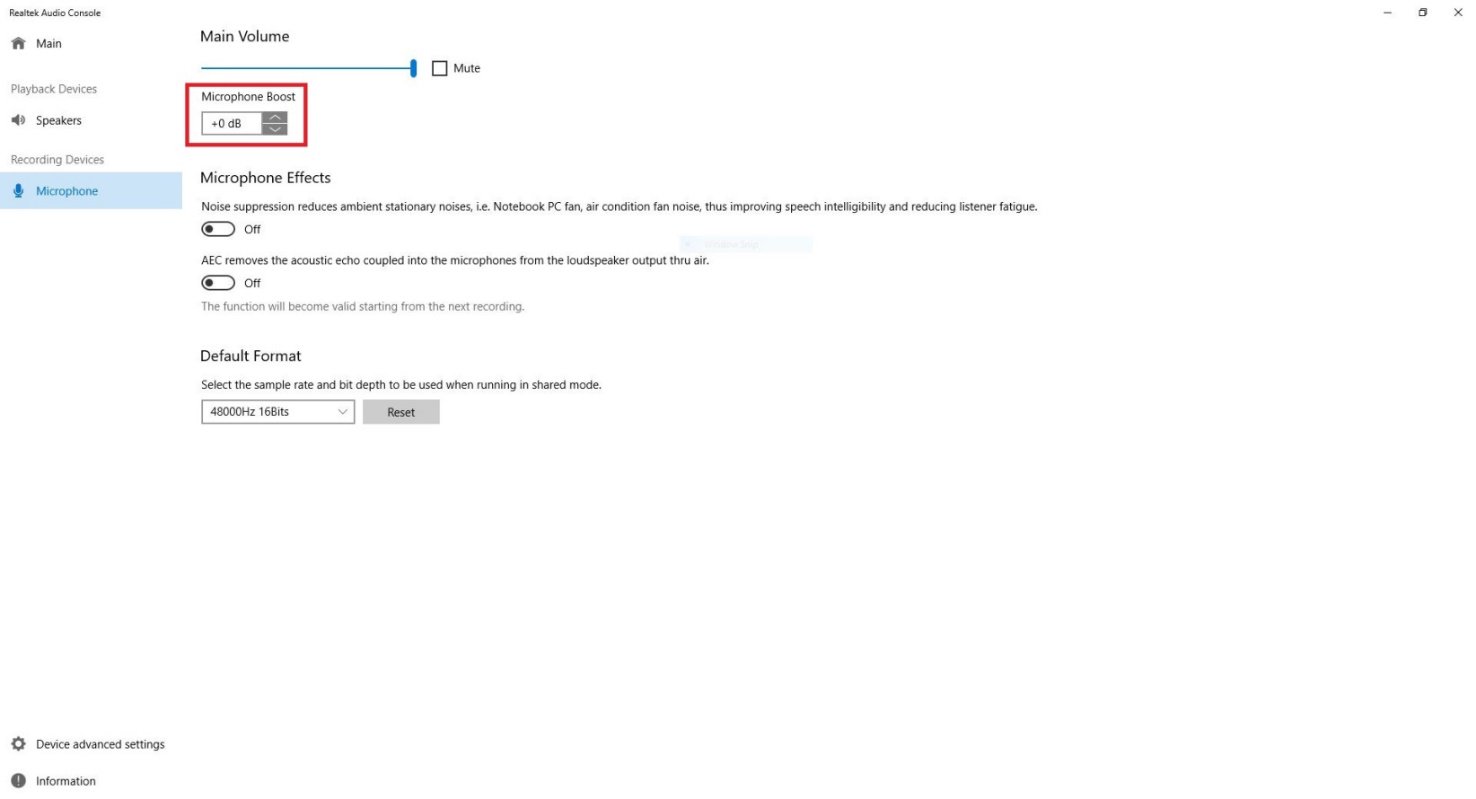
Adjust Microphone Boost to +0db.
Step 3.
Once the boost value is adjusted to +0db, recording quality will be improved.