We use cookies to offer you a more personalized and smoother experience. By visiting this website, you agree to our use of cookies. If you prefer not to accept cookies or require more information, please visit our Privacy Policy.
Necessary cookies These cookies are essential for the proper functioning of the website and cannot be turned off.
Analytics cookies These cookies help us understand how visitors use our website.
Marketing cookies These cookies are used to track visitors and display relevant advertisements.
Social media cookies These cookies allow you to share pages and content on social media.
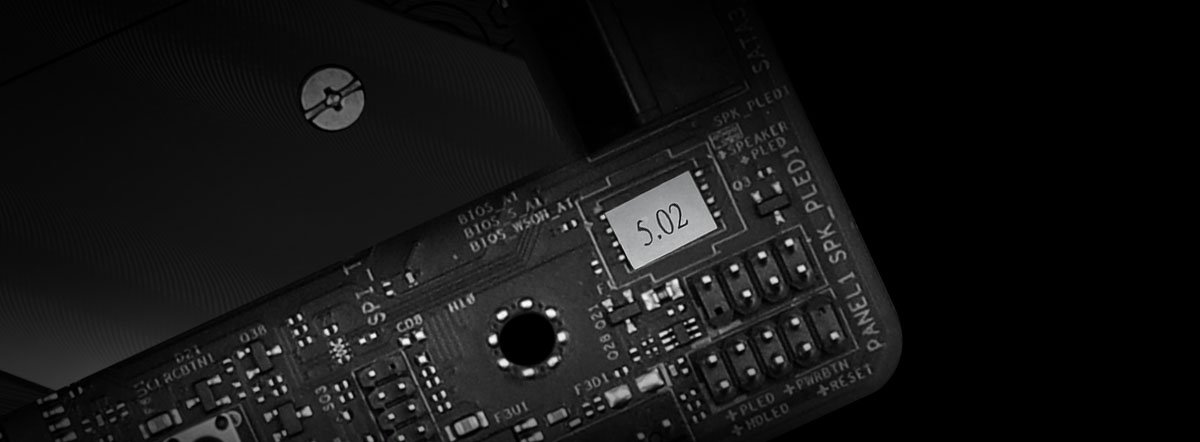
BIOS yonga setinde, varsayılan BIOS sürümünü içeren bir etiket bulunur. BIOS sürümünüz hiç güncellenmediyse etikette işaretlenen sürüm mevcut BIOS sürümünüzdür:
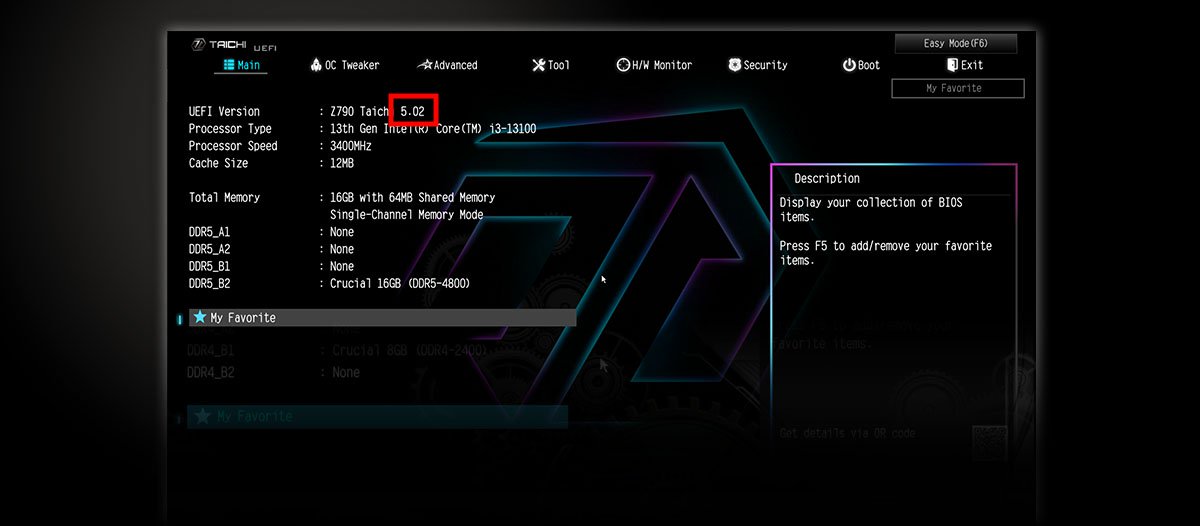
Bilgisayarınız başlatılırken BIOS kurulumuna girmek için F2 tuşuna basın. BIOS sürümünü Ana menü altındaki “BIOS sürümü” öğesinden kontrol edebilirsiniz:
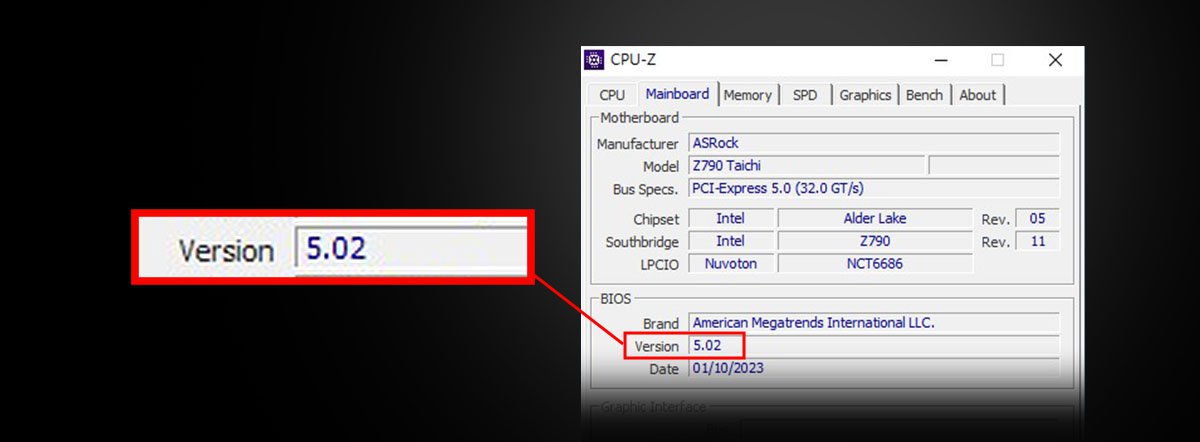
Windows işletim sisteminde BIOS sürümünü kontrol etmek için CPU-Z gibi sistem algılama yazılımlarını kullanabilirsiniz.