Motherboards button
Seria de placi de baza
Graphics Card button
Placă grafică
Monitors button
Monitor Gamer
Power Supply button
Power Supply
Mini PC button
Seria mini PC
AIO Liquid Coolers button
AIO Liquid Coolers
Industrial PC button
Seria PC industrial
Server/WS button
Seriile Server/Workstation
Loading

Folosim cookie-uri pentru a vă oferi o experiență mai personalizată și de calitate mai bună.
Vizitând acest site web, sunteți de acord cu utilizarea de cookie-uri de către site-ul nostru. Dacă preferați să nu acceptați cookie-uri sau aveți nevoie de mai multe informații, vă rugăm să vizitați Politica noastră de confidențialitate.

FAQ

Dacă ştii cu exactitate în ce categorie se încadrează întrebările tale poţi alege una dintre categoriile de mai jos pentru întrebările puse frecvent. Catalog:

Rezultate:
Întrebare (Q&A-184|544): My system has hardware monitoring software installed, such as HWiNFO64. My computer fails to boot after restarting. What should I do?(5/14/2025)
Răspuns:On the AMD AM5 platform, restarting the system while hardware monitoring software is running may cause a reboot to fail.
If your system can boot normally but encounters issues during a restart, please close all hardware monitoring software and try restarting the system again.
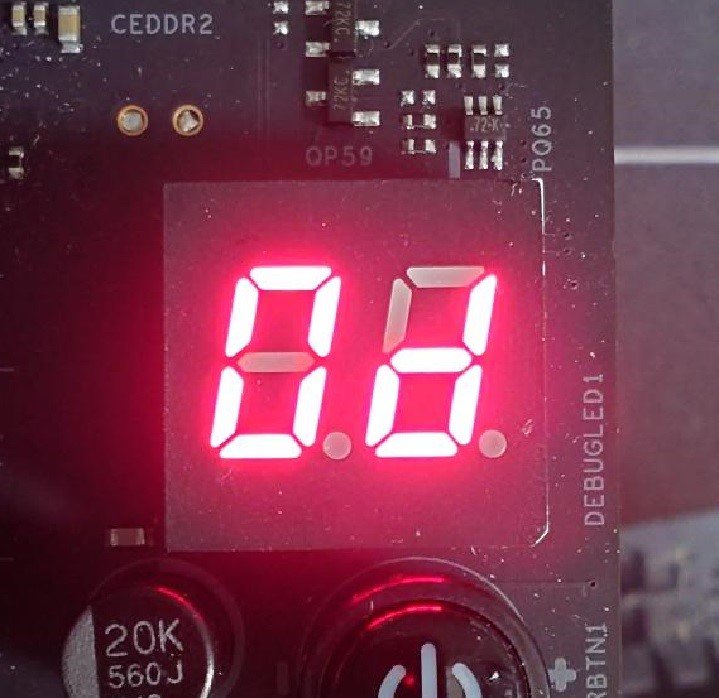
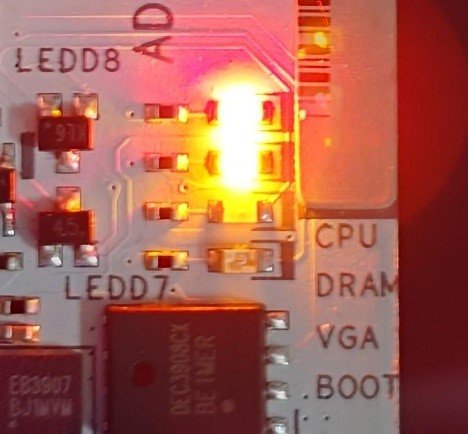
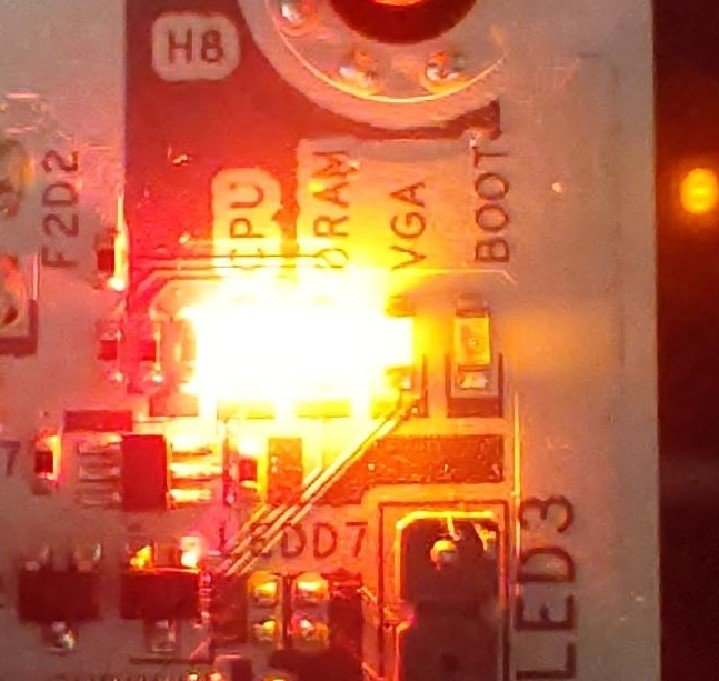
When the system fails to reboot properly, the motherboard's "Dr. Debug” display and "Post Status Checker (PSC)” may show the following statuses:

X870E Nova WiFi

X870 Pro RS

X870 Steel Legend WiFi

Dr. Debug display "0d”.

The CPU and DRAM LEDs will remain solidly lit.

The CPU LED will remain solidly lit, and the DRAM LED will blink.

Dr. Debug display The CPU and DRAM LEDs will remain solidly lit.The CPU LED will remain solidly lit, and the DRAM LED will blink.


#AM5 #reboot #Dr. #Debug #Post #Status #Checker #PSC