Q (
Q&A-150|
486):
When I install Windows 10 with a CPU that has 6 or more cores (3900, 3900X, 3950, etc.) on X470 Gaming-ITX/ac, the system will BSOD. What should I do?(12/1/2019)
A:If a CPU with 6 or more cores is used on X470 Gaming-ITX/ac, please refer to the following steps to install Windows 10.
Step 1: Power on the system and press [Del] or [F2] to boot into BIOS.
Step 2: Go to Advanced\ AMD Overclocking \Accept
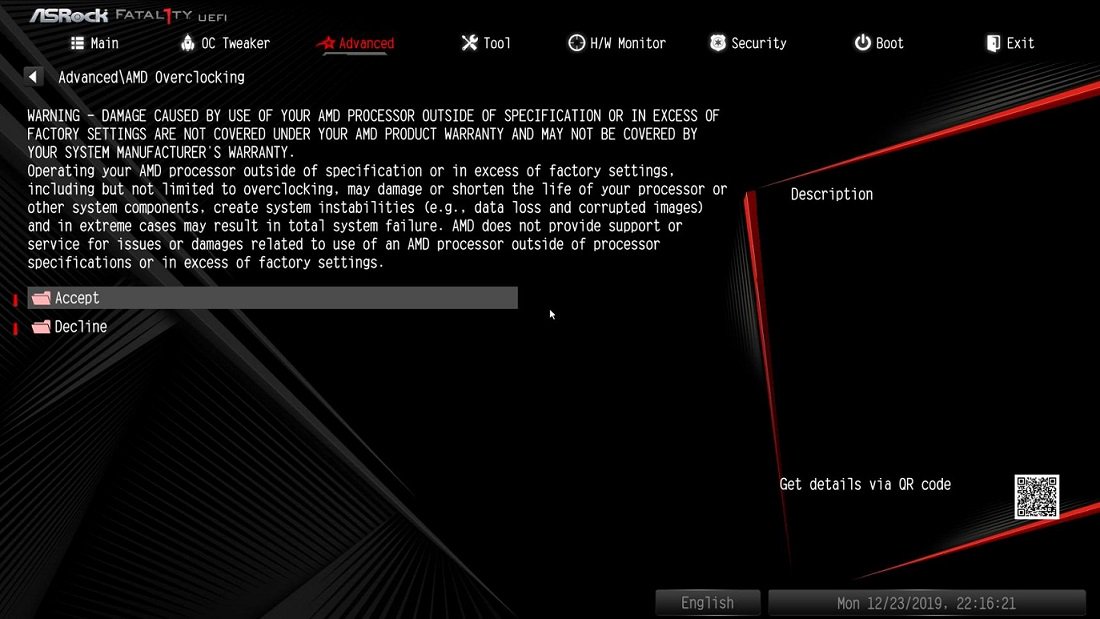
Step 3: Adjust the following settings:
- [CCD Control] to [1 CCD]
- [Core control] to [TWO(1+1)]
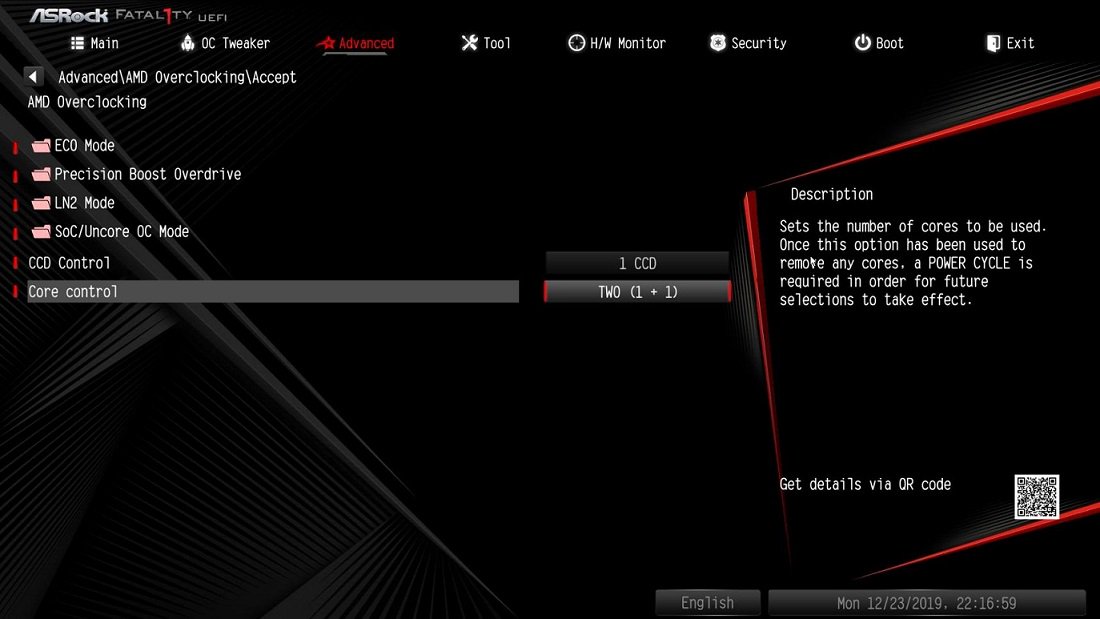
Step 4: Press [F10] to save the settings and exit.
Step 5: Install Windows 10.
Step 6: Refer to ASRock website to download and install all drivers. (Reboot the system when required)
Step 7: Refer to previous steps 1 ~ 3 to restore following settings to default.
-[CCD Control] set to [Auto]
-[Core Control] set to [Auto].
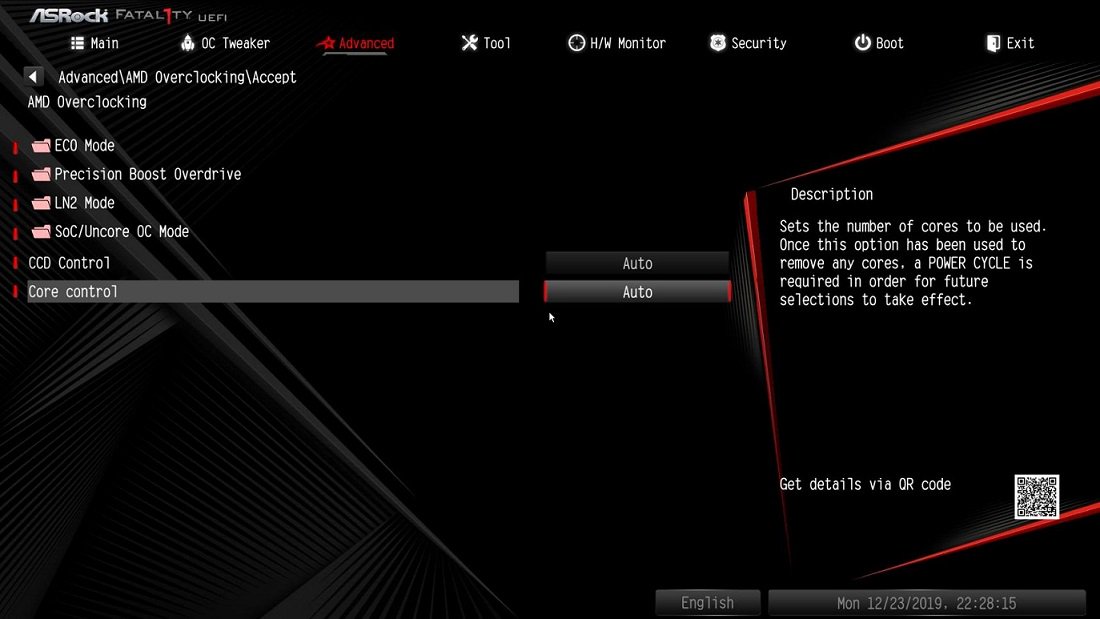
Step 8: Press[F10] to save the settings and exit.
 Menu
Menu







