A:For Intel H170 motherboards with two BIOS ROM chips, if main BIOS (BIOS_A1) is corrupted please follow the steps below to have main BIOS recovered.
Step 1. Please unplug the power cable and move the jumper cap to short pin2 and pin3 on the "BIOS_SEL1” header.
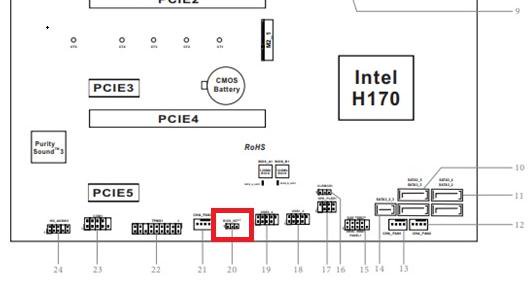
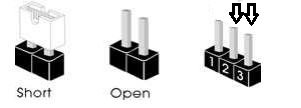
Step 2. Please plug the power cable and boot into BIOS(BIOS_B1).
Step 3. Click Secure Backup UEFI (B->A). This will copy the backup BIOS file to the main BIOS file.
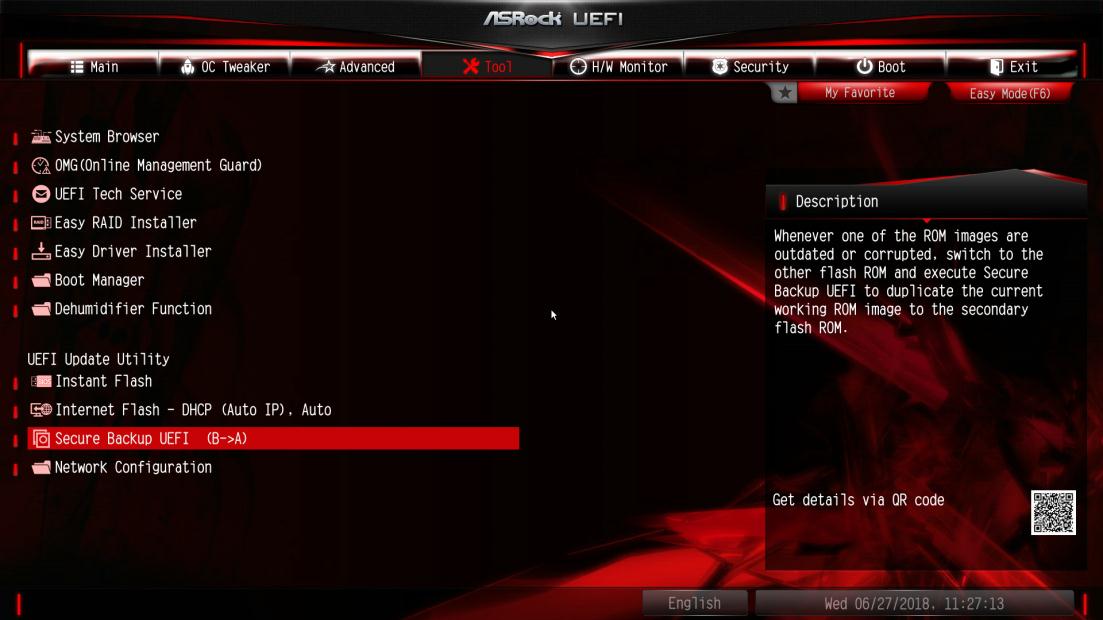
Step 4. After updating BIOS, kindly remove the power cable and move the jumper cap to short pin1 and pin2 (header BIOS_SEL1)
Step 5. Plug the power cable and the system should be boot up with main BIOS file
 Menu
Menu







