Q (
Q&A-139|
465):
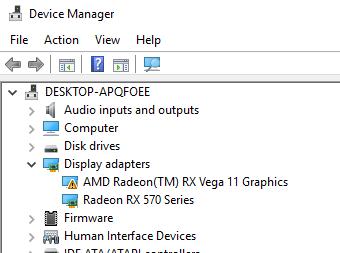
When I use VGA card with onboard graphics AM4 CPU, onboard display adapter driver shows exclamation mark,
what should I do?(3/1/2018)
A:If you are using the VGA card and onboard display adapter shows an exclamation mark as the picture below,
please follow the steps to remove exclamation mark.
1. Please press "F2” or "Del” during POST to enter BIOS setup
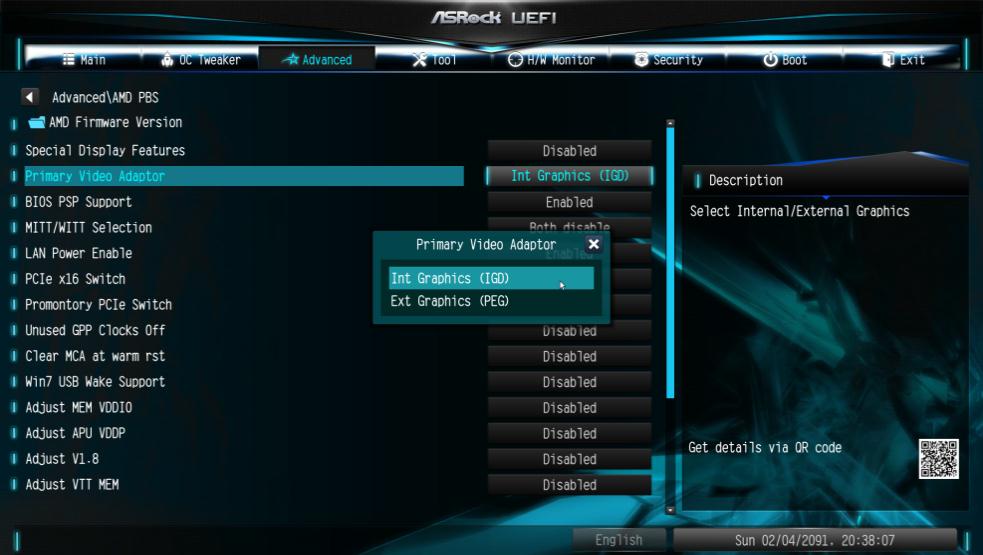
2. Choose primary video adapter as internal graphics
Path: Advanced\AMD PBS\Primary Video Adapter\Int Graphics (IGD)
3. After adjusting above options , press "F10” to save the configuration.
You can try below method as well.
1. Please press "F2” or "Del” during POST to enter BIOS setup
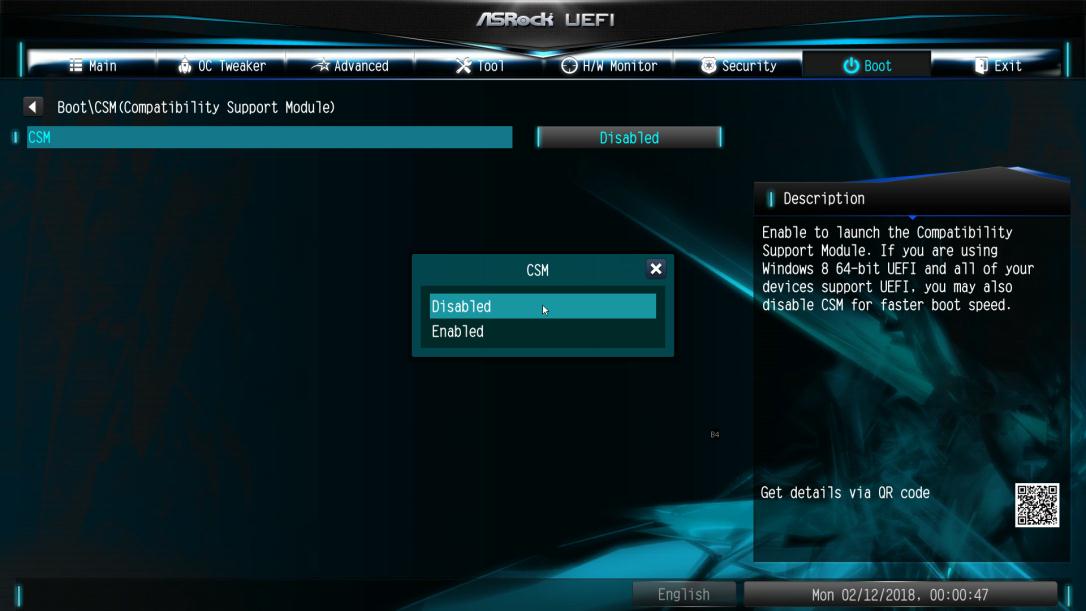
2. Disable CSM
Path: Boot/CSM/Disable
3. After adjusting above option, press "F10” to save the configuration.
 Menu
Menu







