We use cookies to offer you a more personalized and smoother experience. By visiting this website, you agree to our use of cookies. If you prefer not to accept cookies or require more information, please visit our Privacy Policy.
Necessary cookies These cookies are essential for the proper functioning of the website and cannot be turned off.
Analytics cookies These cookies help us understand how visitors use our website.
Marketing cookies These cookies are used to track visitors and display relevant advertisements.
Social media cookies These cookies allow you to share pages and content on social media.
Als u precies weet waarover w vraag gaat dan kunt u een van deze categorieën kiezen. Categorieën:
Resultaten:
Q (Q&A-102|335):
Kan mijn DVI poort audio signalen versturen, net als HDMI? Hoe laat ik dit werken met mijn HDMI monitor?(2/1/2013)
A:Zorgt u er alstublieft voor dat u aan de onderstaande voorwaarden voldoet.
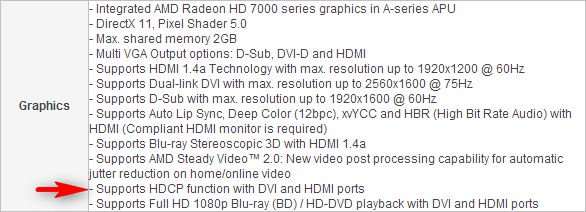
1. De DVI poort op het moederbord moet HDCP ondersteunen.
Als u niet zeker bent over de specificaties van de DVI poort, kunt u deze informatie terugvinden op onze website.
2. Sluit een DVI naar HDMI adapter aan.
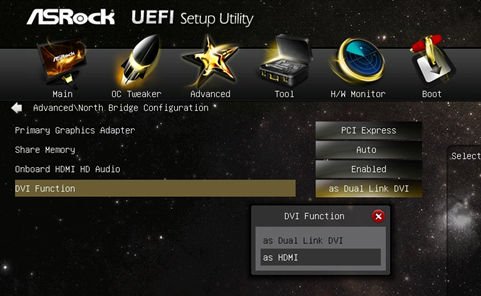
3. Wijzig de DVI functie optie naar [as HDMI] in BIOS\Advanced\North Bridge Configuration.
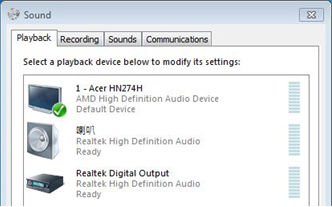
4. Stel HDMI bij Configuratiescherm\Geluid als standaard afspeelapparaat in.