Question (
Q&A-49|
190):
I connected ALiveNF6G-DVI with DVI card to a DVI monitor. When system resumed from standby mode under Windows
® Vista™, I got black screen on the monitor. How can I solve this?(12/19/2006)
Answer:Please refer following steps to disable "Hybrid Sleep" under Windows
® Vista™.
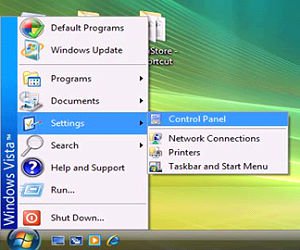
Step1: Please click "Control Panel".
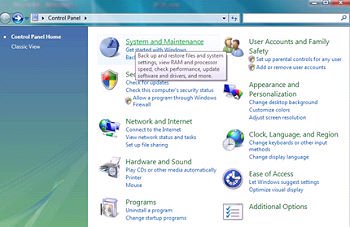
Step2: Click "System and Maintenance".
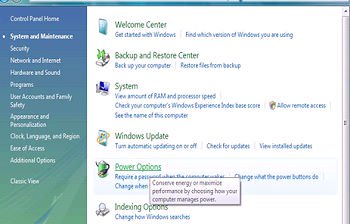
Step3: Click "Power Options"
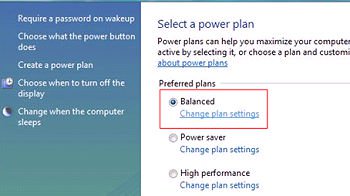
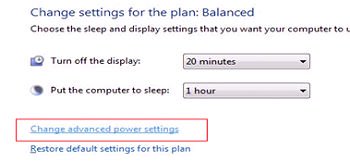
Step4: Click "Change plan settings" of "Balance"
Step5: Click "Change advanced power settings.
Step6: Click "sleep".
Set "Allow hybrid sleep" to off.
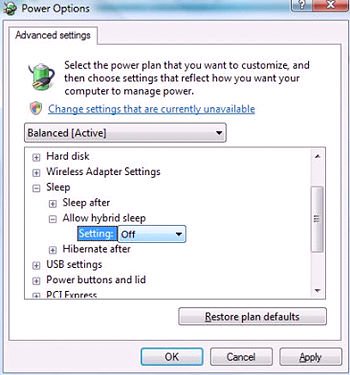
Step 7: Click OK or Apply to finish the setting.
 Menu
Menu







