We use cookies to offer you a more personalized and smoother experience. By visiting this website, you agree to our use of cookies. If you prefer not to accept cookies or require more information, please visit our Privacy Policy.

Necessary cookies These cookies are essential for the proper functioning of the website and cannot be turned off.
Analytics cookies These cookies help us understand how visitors use our website.
Marketing cookies These cookies are used to track visitors and display relevant advertisements.
Social media cookies These cookies allow you to share pages and content on social media.
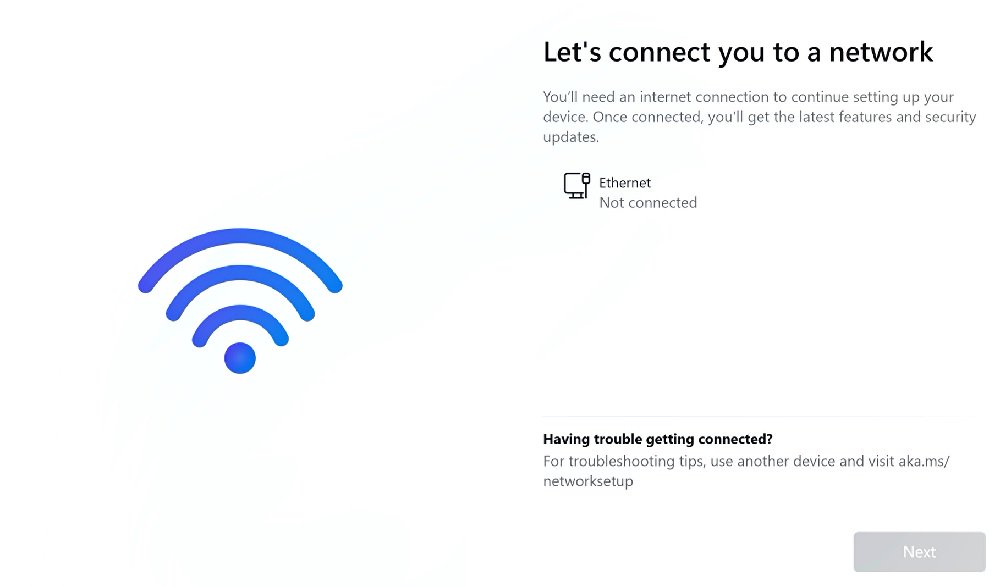
Question: How do I install Windows 11 without the Internet?(9/28/2022) Answer: If you encounter the following screen while installing Windows 11, please follow the steps below to proceed install Windows 11 without the Internet.
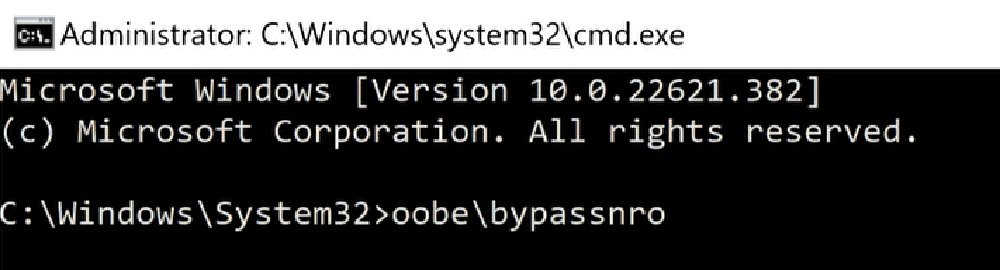
Step 1: Press shift + F10 key to open command prompt → Type oobe\bypassnro → Hit Enter key to set up Windows 11 without an Internet connection.
Step 2: After step 1, the system will restart once.
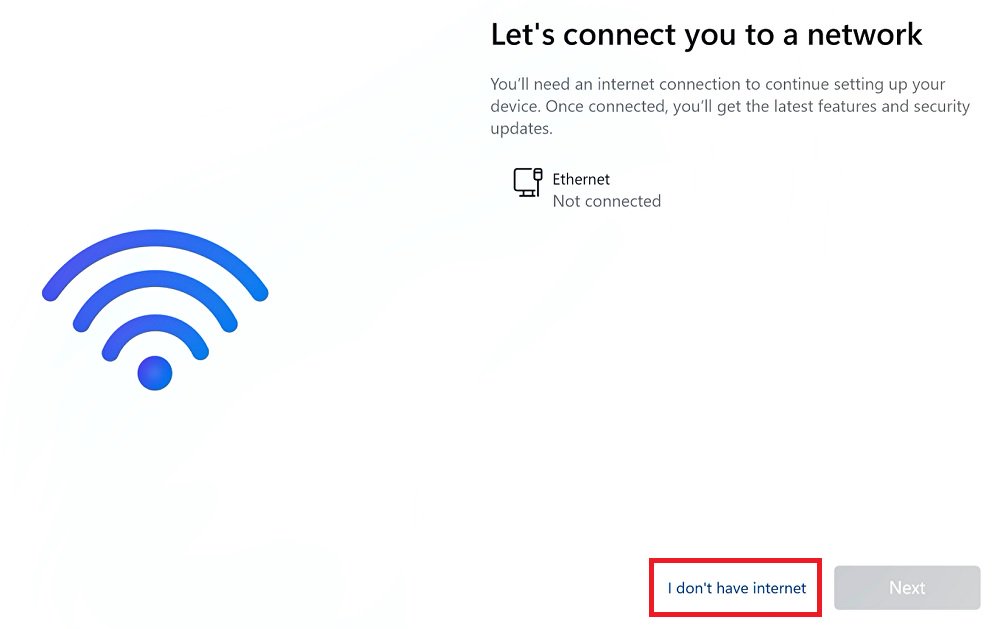
Step 3: After restart, proceed on settings up Windows 11 until you see the following screen. Then click I don't have internet.
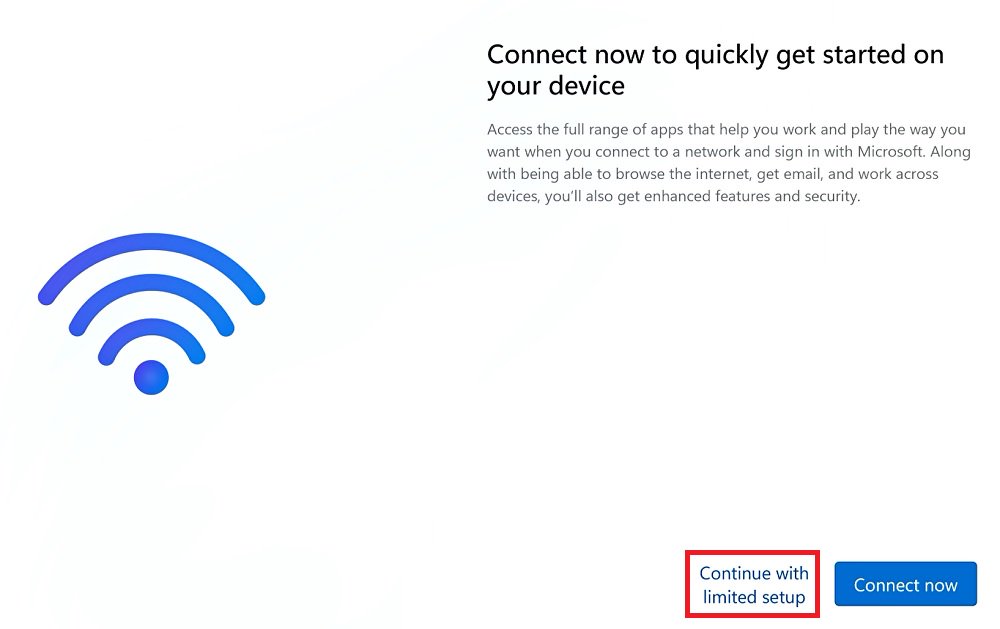
Step 4: Click Continue with limited setup to create an local account.