We use cookies to offer you a more personalized and smoother experience. By visiting this website, you agree to our use of cookies. If you prefer not to accept cookies or require more information, please visit our Privacy Policy.

Necessary cookies These cookies are essential for the proper functioning of the website and cannot be turned off.
Analytics cookies These cookies help us understand how visitors use our website.
Marketing cookies These cookies are used to track visitors and display relevant advertisements.
Social media cookies These cookies allow you to share pages and content on social media.
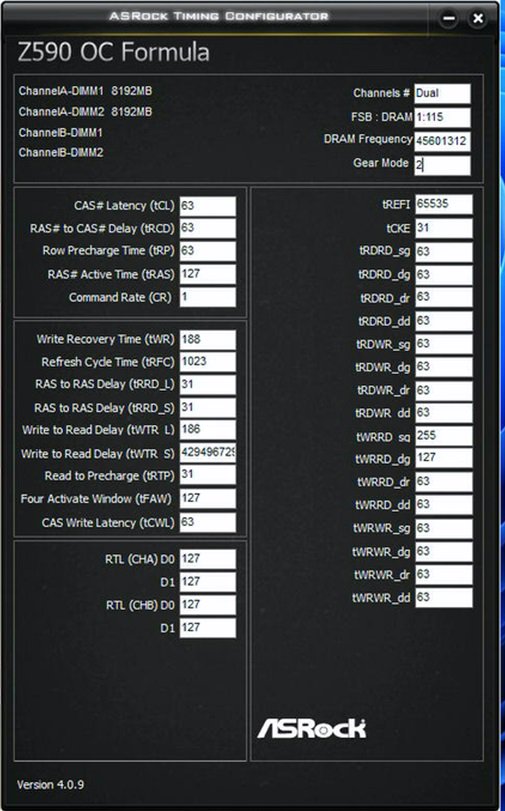
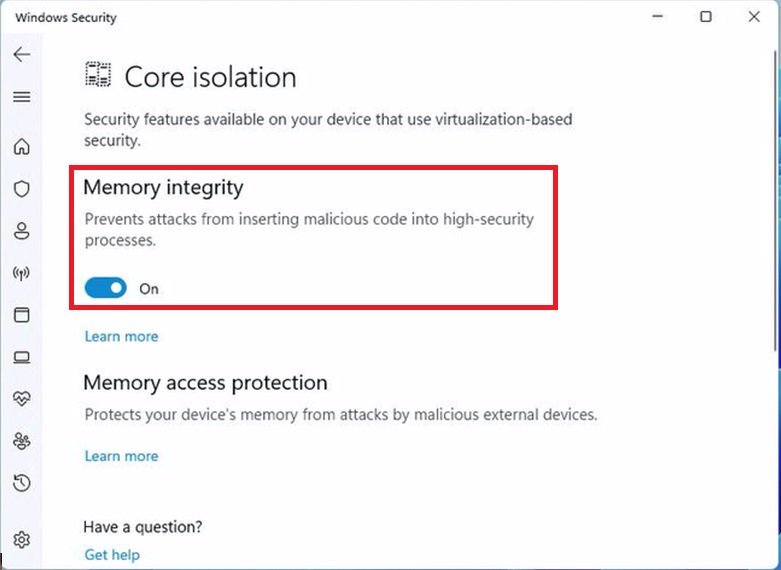
Question: Why does the ASRock Timing Configurator show strange values, and how can I use this OC software under Windows 11? (10/1/2021) Answer: Microsoft® Windows 11® has a security function called "Memory integrity”. This function can prevent attacks from inserting malicious code into high-security processes, but it will interfere with the ability to read sensor values and affect the function of OC software.
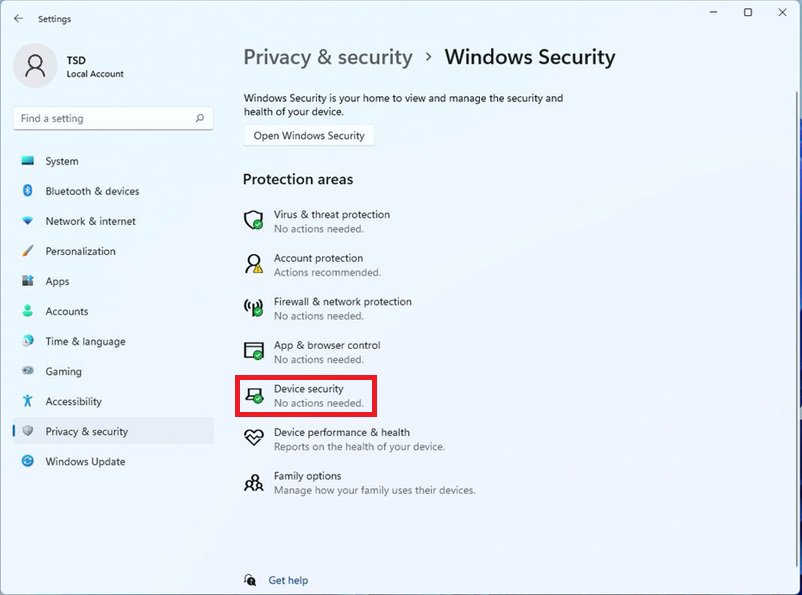
We recommend temporarily disabling this function when you would like to use OC software. Please refer to the following steps to deactivate it.
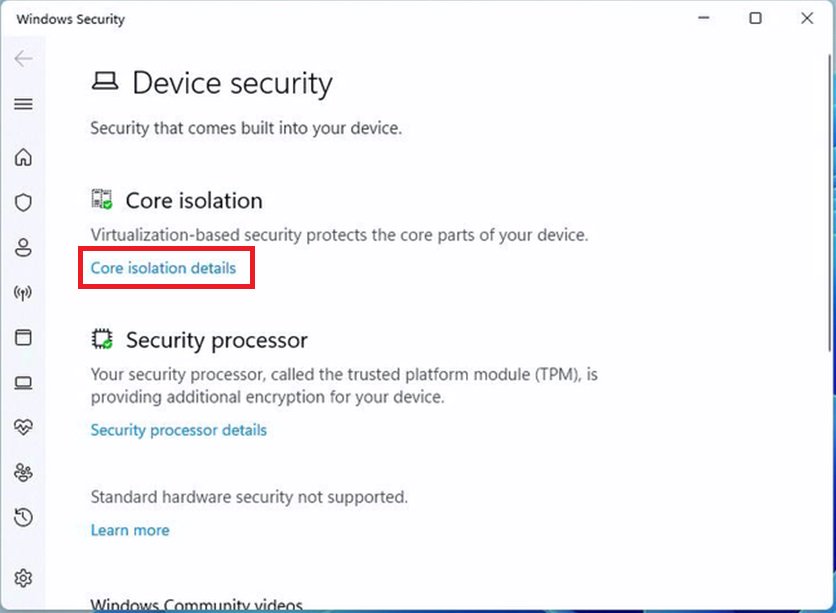
Step.2 Press "Core isolation details”.
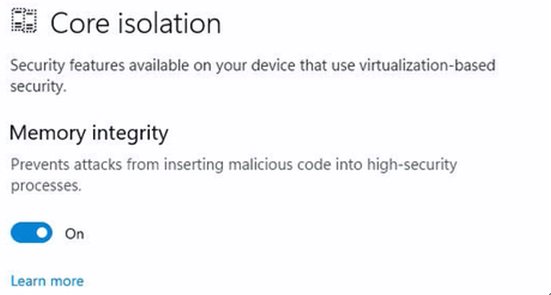
Step.3 Disable "Memory integrity” and restart the system to apply the setting.