We use cookies to offer you a more personalized and smoother experience. By visiting this website, you agree to our use of cookies. If you prefer not to accept cookies or require more information, please visit our Privacy Policy.

Necessary cookies These cookies are essential for the proper functioning of the website and cannot be turned off.
Analytics cookies These cookies help us understand how visitors use our website.
Marketing cookies These cookies are used to track visitors and display relevant advertisements.
Social media cookies These cookies allow you to share pages and content on social media.
Question: How can I clear the CMOS on my Intel 500 series motherboard?(2/1/2021) Answer: Please follow the steps below.
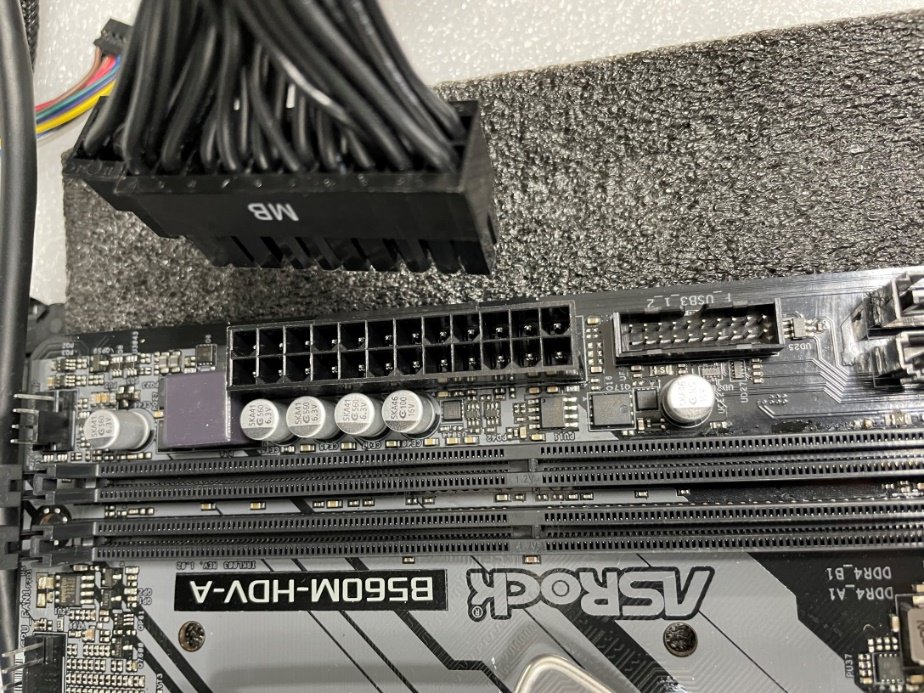
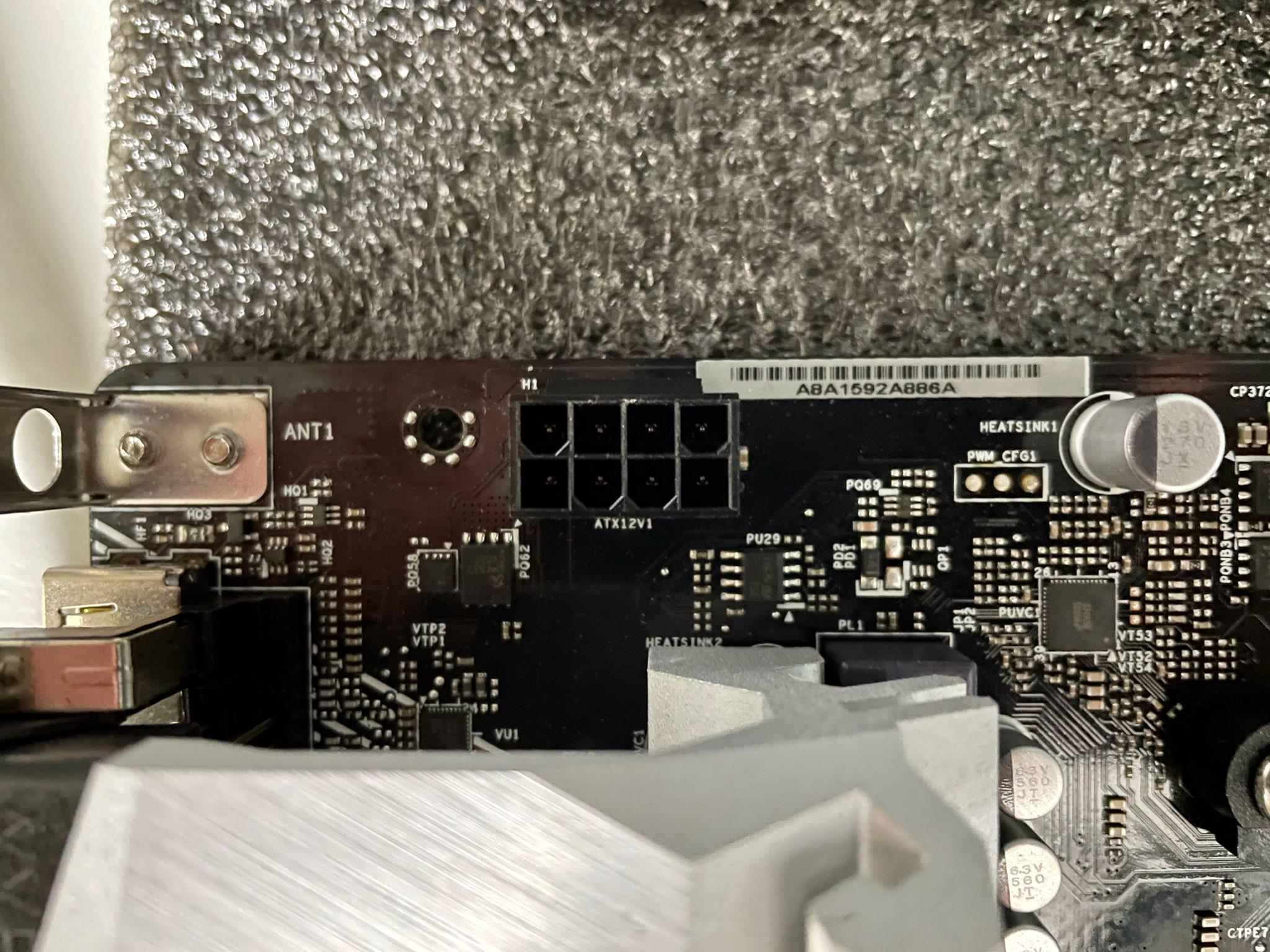
Step 1: Disconnect the PSU from the motherboard.
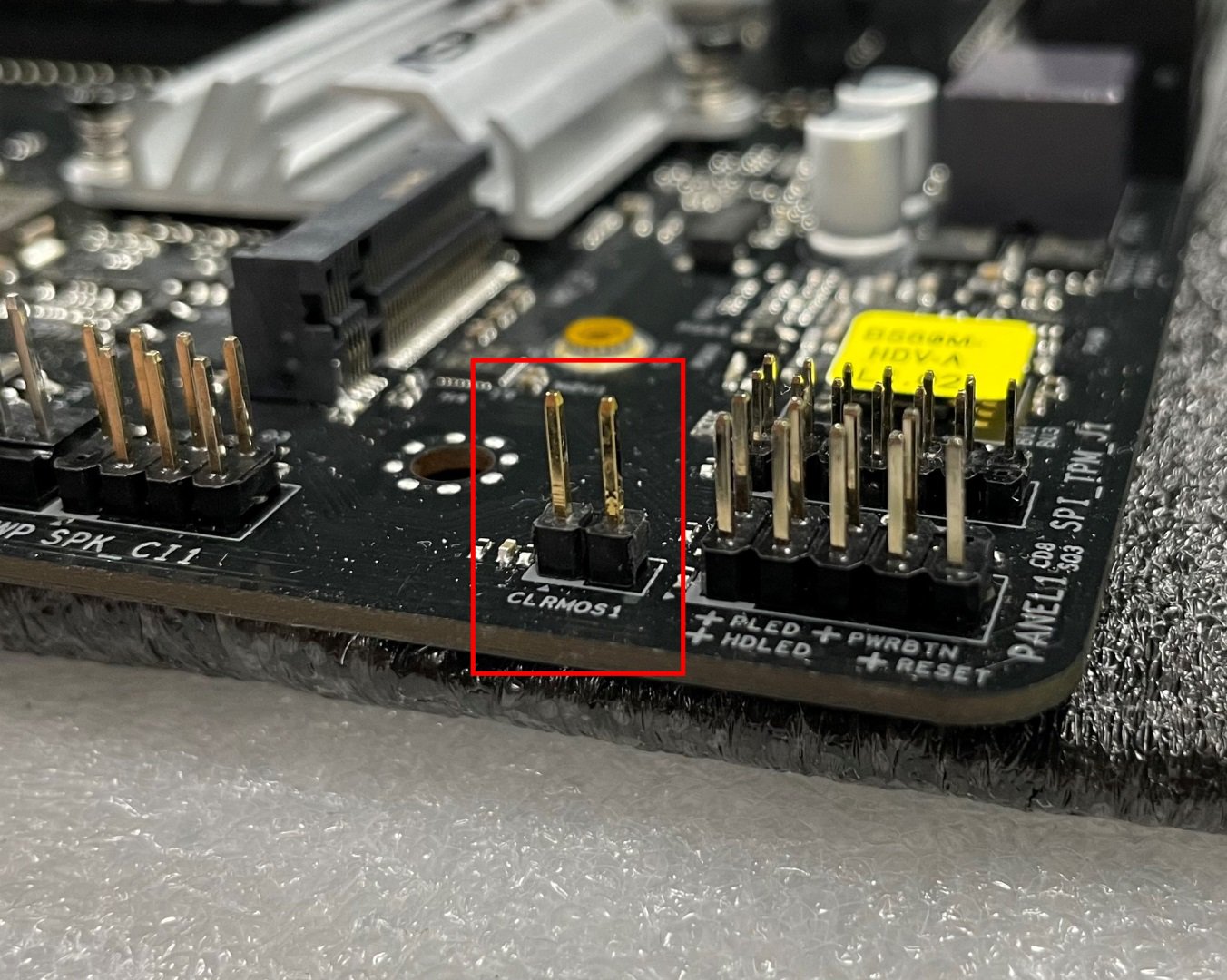
Step 2: Find the CLRMOS header by referring to the motherboard user manual.
Below picture shows what the header should look like.
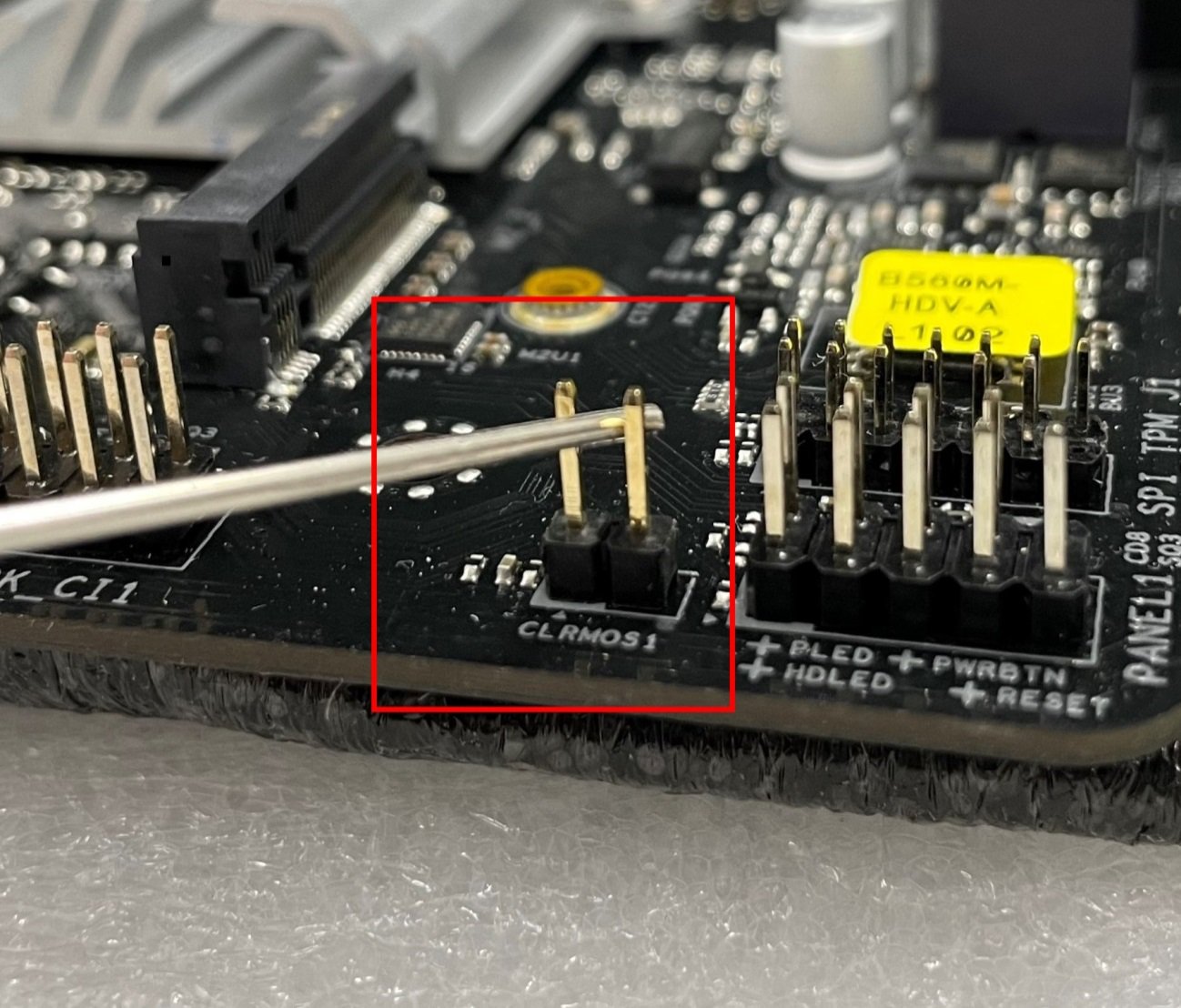
Step 3: Use a conductive metal object to short the CLRMOS header for at least 30 seconds. You can use for example a paperclip, key, coin or a screwdriver.
Step 4: Remove the metal object from the CLRMOS header and then wait at least 5 more minutes.
Step 5: After 5 minutes please reconnect the PSU and power on the system.