We use cookies to offer you a more personalized and smoother experience. By visiting this website, you agree to our use of cookies. If you prefer not to accept cookies or require more information, please visit our Privacy Policy.

Necessary cookies These cookies are essential for the proper functioning of the website and cannot be turned off.
Analytics cookies These cookies help us understand how visitors use our website.
Marketing cookies These cookies are used to track visitors and display relevant advertisements.
Social media cookies These cookies allow you to share pages and content on social media.
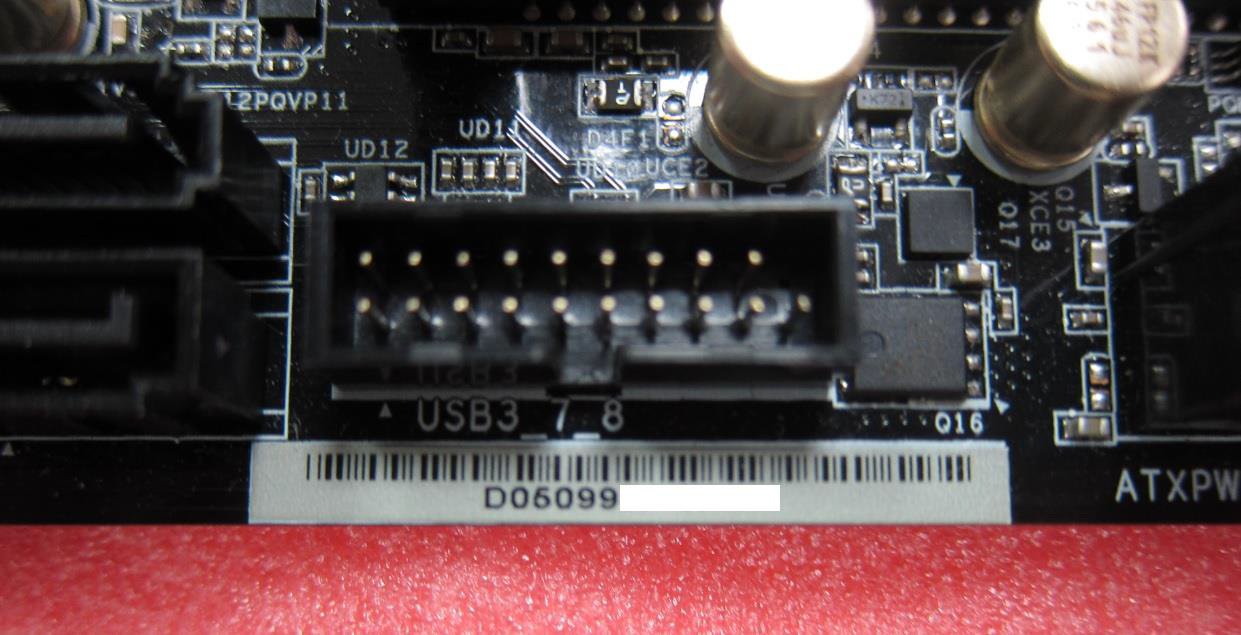
Question: How to write MAC address of your motherboard?(6/1/2016) Answer: 1. Please open the chassis and you can find a white sticker at the edge of board with 12-digit MAC ID.
3. Extract (Unzip) the file as "MAC161B”folder then put entire folder into a bootable USB flash drive root directory.
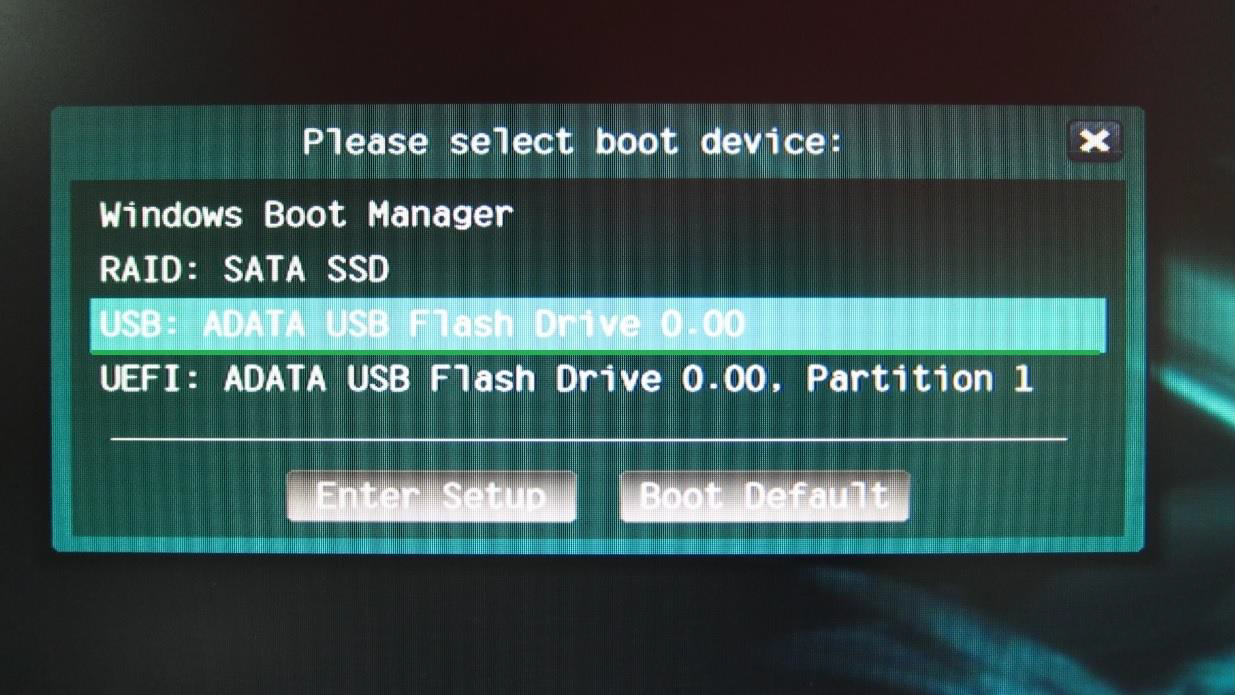
4. Boot up system than press [F11]to enter the Boot Menu, select your USB Flash, afterwards.
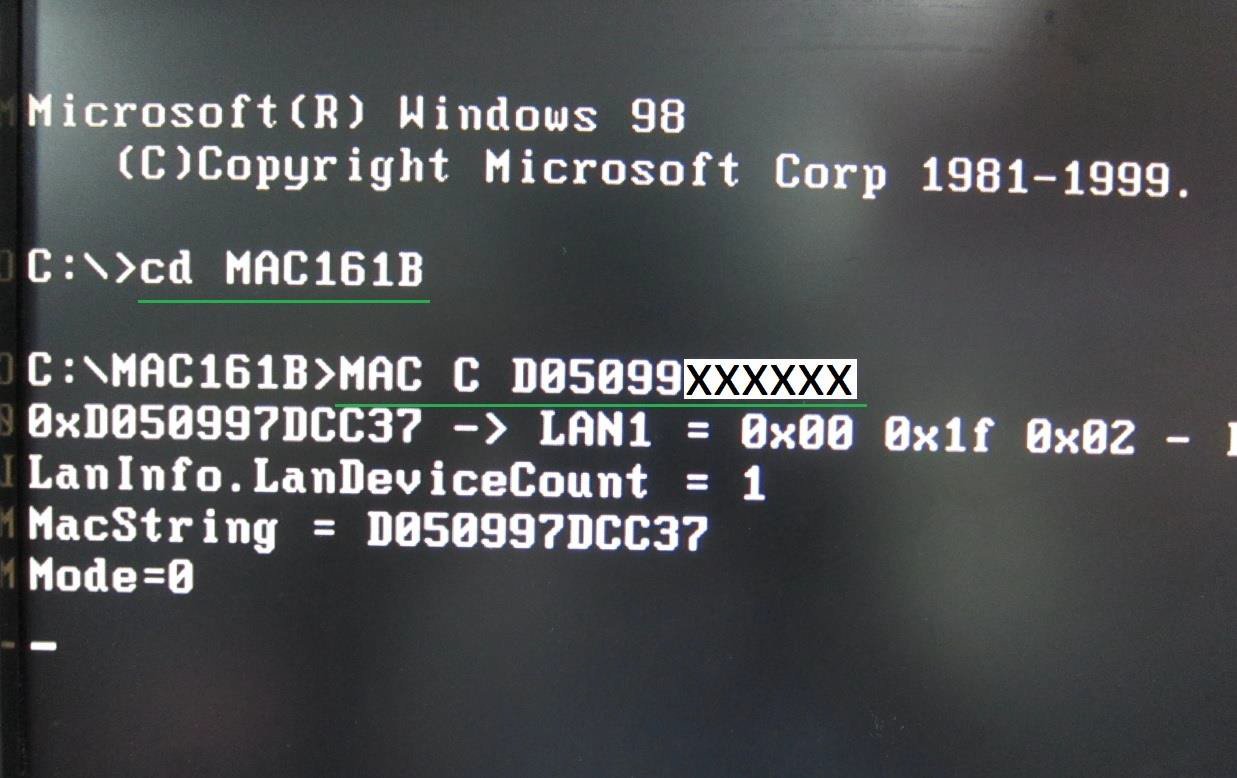
5. Under DOS environment, please key in the command as follow:
Cd MAC161B
MAC CXXXXXXXXXXXX
(XXXXXXXXXXXXis MAC Address;please refer to the step1 to check the MAC Sticker)
6. After Key in the instruction, the system will flash MAC address automatically.
7. When "Done" showing, the MAC address already been flash successfully.
You can reboot the system into OS.