We use cookies to offer you a more personalized and smoother experience. By visiting this website, you agree to our use of cookies. If you prefer not to accept cookies or require more information, please visit our Privacy Policy.

Necessary cookies These cookies are essential for the proper functioning of the website and cannot be turned off.
Analytics cookies These cookies help us understand how visitors use our website.
Marketing cookies These cookies are used to track visitors and display relevant advertisements.
Social media cookies These cookies allow you to share pages and content on social media.
Question: How could I use Wake On LAN function under Ubuntu (Kernal version 3.2.0-23) on Vision 3D series?(4/1/2013) Answer: Please follow below steps to use WOL function.
1. Please enable "Onboard LAN power on" in BIOS\Advanced\ACPI configuration.
2. Connect LAN cable.
3. Search terminal in Dash Home and open it.
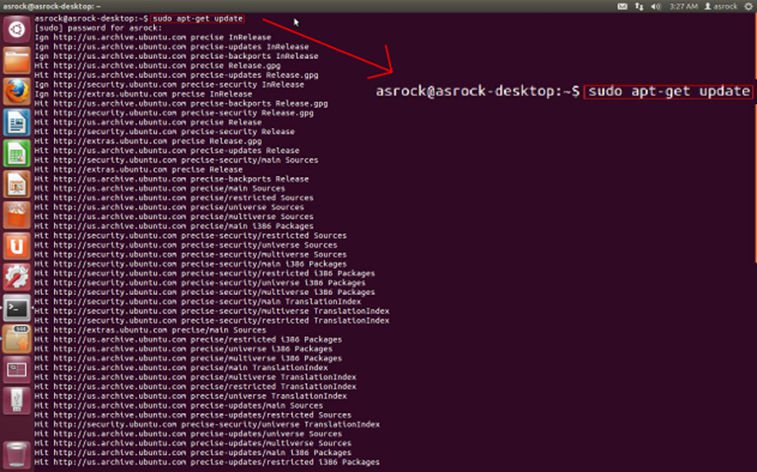
4. Please install ethtool to enable WOL by following command. (Refer the picture)
#sudo apt-get update
#sudo apt-get install ethtool
#sudo ethtool –s eth0 wol g
#sudo reboot
5. Now, the system is ready to be woken up through LAN by other computers.