We use cookies to offer you a more personalized and smoother experience. By visiting this website, you agree to our use of cookies. If you prefer not to accept cookies or require more information, please visit our Privacy Policy.

Necessary cookies These cookies are essential for the proper functioning of the website and cannot be turned off.
Analytics cookies These cookies help us understand how visitors use our website.
Marketing cookies These cookies are used to track visitors and display relevant advertisements.
Social media cookies These cookies allow you to share pages and content on social media.
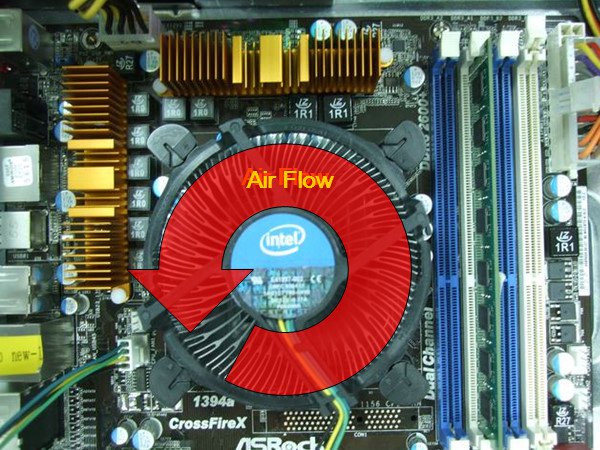
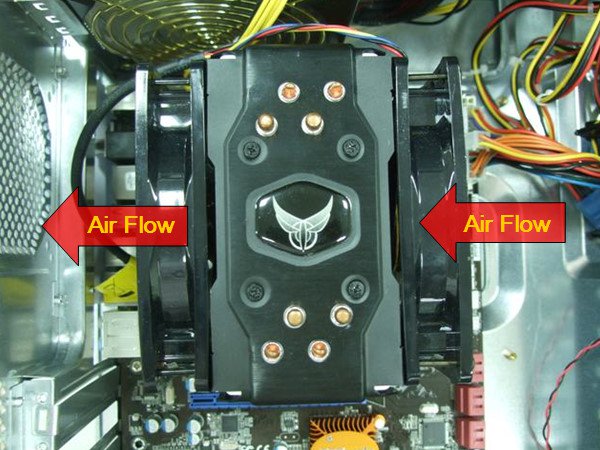
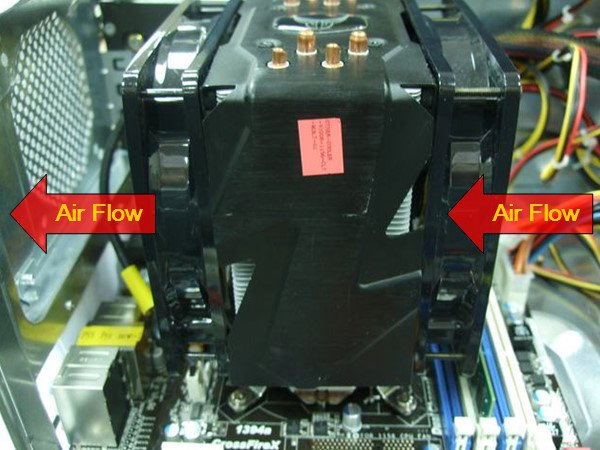
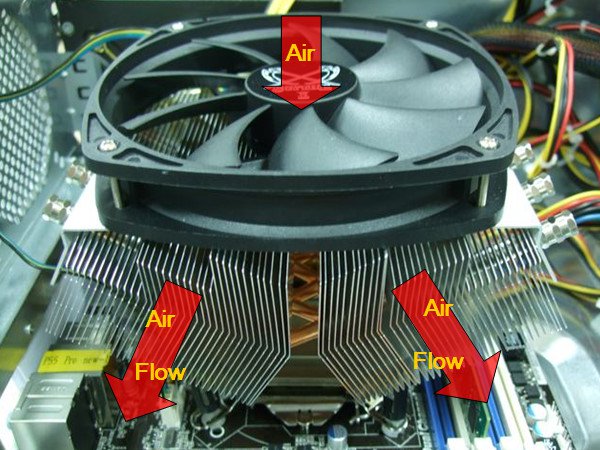
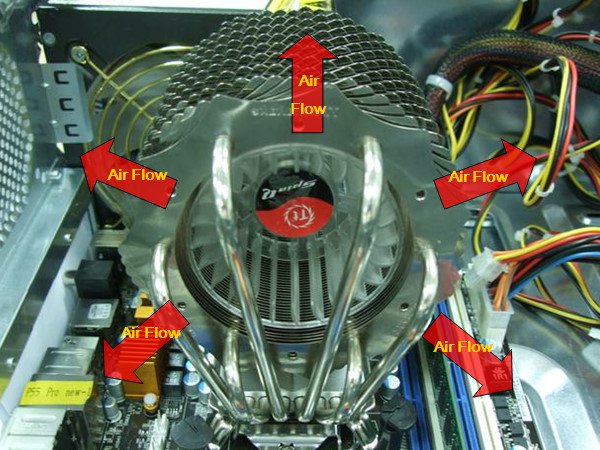
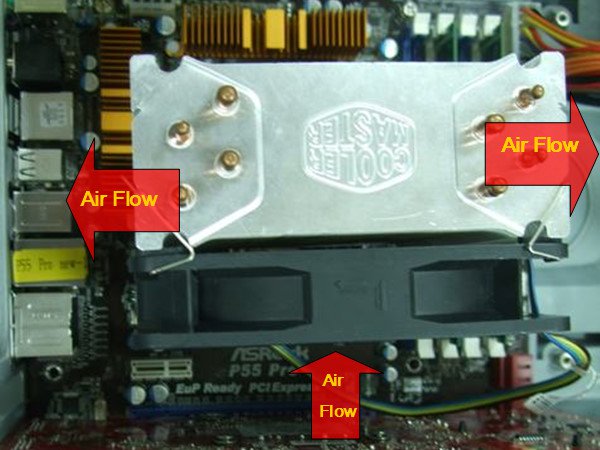
Question: How to create more air flow on P55 and H55 series motherboards?(5/6/2010) Answer: Please kindly install the CPU FAN as the following example photos to improve air flow. After install, please check the air flow direction in the system.
1. With Intel® BOX CPU fan.
2. With VIGOR Monsoon III LT CPU cooler
3. With Scythe Grand Kama Cross CPU cooler
4. With Thermaltake Spin Q CPU cooler.
5. With Cool Master Hyper 212 plus CPU fan
If your CPU fan is not in the example photos, please kindly check the manufacturer web site or contact the dealer for more detail information.