We use cookies to offer you a more personalized and smoother experience. By visiting this website, you agree to our use of cookies. If you prefer not to accept cookies or require more information, please visit our Privacy Policy.

Necessary cookies These cookies are essential for the proper functioning of the website and cannot be turned off.
Analytics cookies These cookies help us understand how visitors use our website.
Marketing cookies These cookies are used to track visitors and display relevant advertisements.
Social media cookies These cookies allow you to share pages and content on social media.
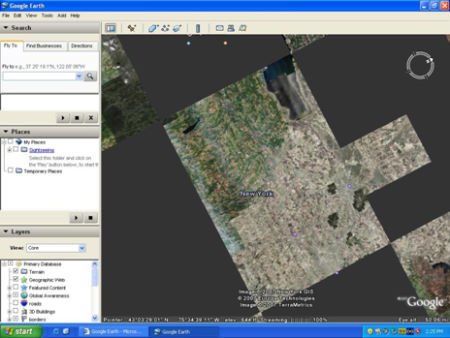
Question: My system is based on P4VM890 / P4VM890 R2.0 with the Integrated VIA® UniChrome Pro 3D/2D Graphics. When I zoom-in in Google Earth, the picture will get abnormal display (See the following picture). What should I do?
Abnormal display: (black blocks) (8/3/2007) Answer: Please update the VGA driver to v22.00.01e for fixing this problem. Here are download pages of VGA driver.
P4VM890:
https://www.asrock.com/mb/download.asp?Model=P4VM890&s=478