Motherboards button
Placas-mãe
Graphics Card button
Placas de vídeo
Monitors button
Monitor Gamer
Power Supply button
Fonte de alimentação
AIO Liquid Coolers button
AIO Liquid Coolers
Industrial PC button
PC Industrial
Server/WS button
Servidores/Estações
Loading

Usamos cookies para oferecer uma experiência mais personalizada e suave.
Ao visitar este site, você concorda com o nosso uso de cookies. Se preferir não aceitar cookies ou exigir mais informações, visite nossa Política de Privacidade.
Perguntas Frequentes

Caso você saiba a categoria da sua dúvida, você pode escolher uma das categorias abaixo para perguntas frequentes. Catalogo:

Resultados:
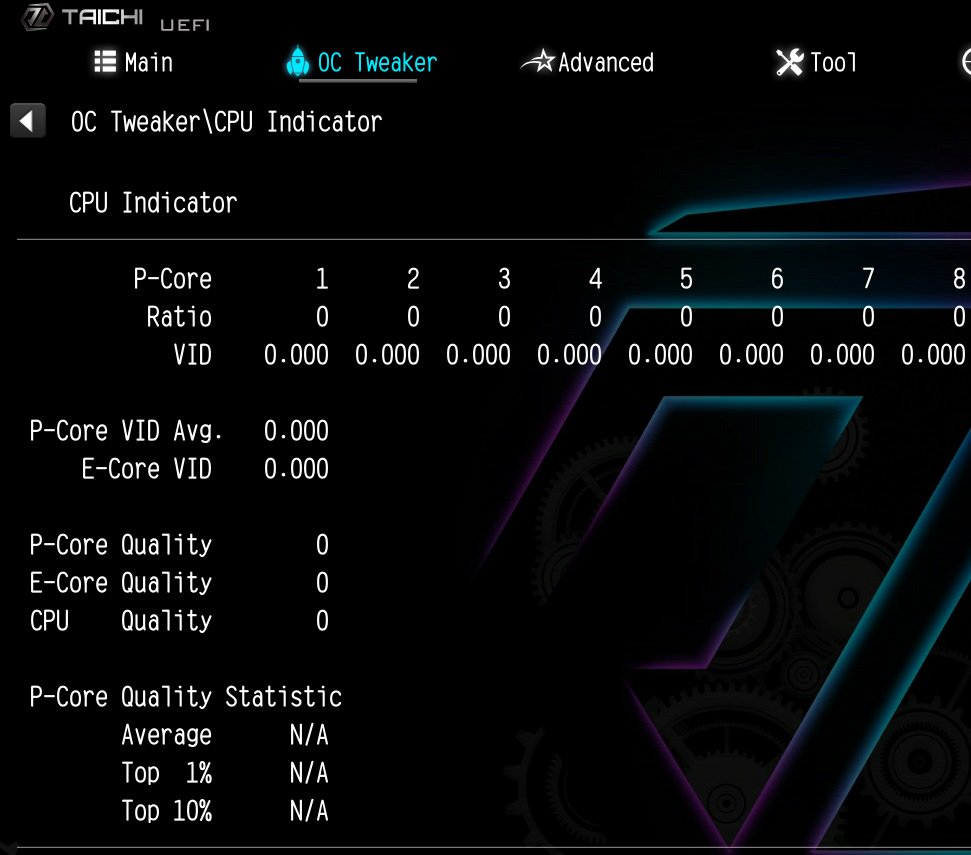
Q (534): How to fix the information of the 'CPU Indicator' utility displaying "N/A" and "0" on the Intel Z790/Z690 platform?

How to fix the information of the 'CPU Indicator' utility displaying (11/1/2023)
A:Minimum system requirement: K-Series CPU+ Latest BIOS

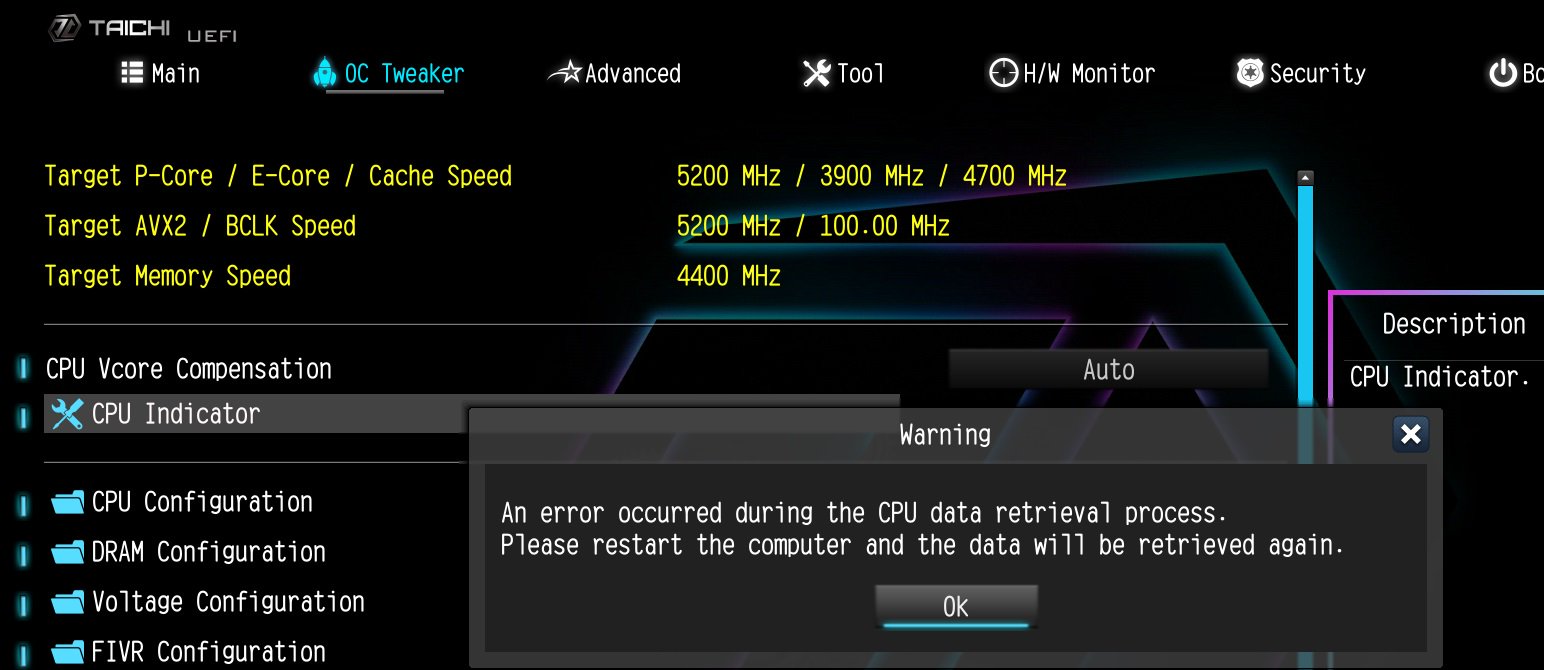
If the system encounters an unexpected restart during boot-up, the CPU Indicator utility will display the following warning message when entering the BIOS.

If the system encounters an unexpected restart during boot-up, the CPU Indicator utility will display the following warning message when entering the BIOS.

After that, please press "OK” and restart the system and the data will be retrieved again or you can shut down the system and refer to the user manual to clear CMOS and go to the BIOS again to check if the 'CPU Indicator' utility displaying the correct information.

#Intel #Z790 #Z690 #K-series #CPU #Indicator