A:Step1. Please connect the USB front panel cable to CIR1 and USB 6_7 header.
The pin header mark in red is required to connect.
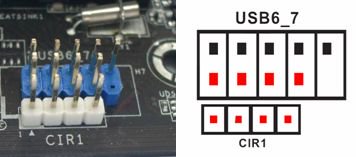
The properly connecting USB front panel cable with CIR header as below picture.
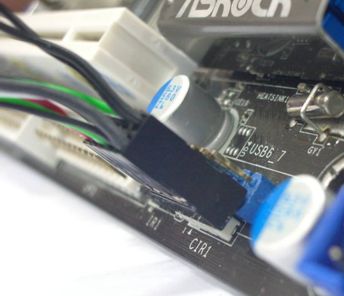
Step2: Please connect CIR receiver to USB front panel before booting up system.
Step3: Enter BIOS setting screen and make sure the CIR controller is setting at [Enabled] (Advanced -> Super IO Configuration –> CIR Controller -> [Enabled])
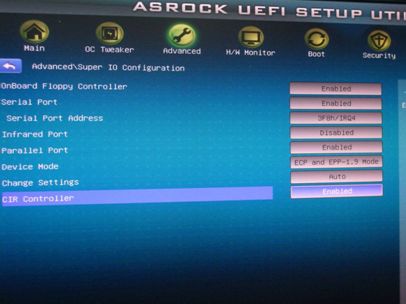
(If you didn't see the CIR Controller option in BIOS, please shut down your system and plug CIR receiver to another USB port on front panel then try again)
Step4: Enter Windows, Execute ASRock support CD and install CIR Driver (it would be listed at the bottom of driver list)
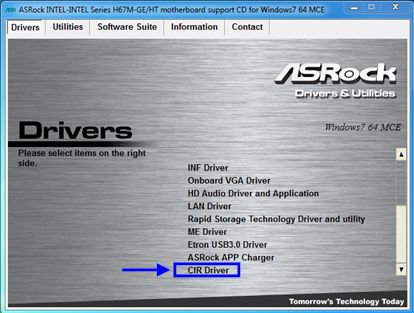
Note: Please connect the CIR receiver to USB front panel before you boot up system.
 Cardápio






