We use cookies to offer you a more personalized and smoother experience. By visiting this website, you agree to our use of cookies. If you prefer not to accept cookies or require more information, please visit our Privacy Policy.
Necessary cookies These cookies are essential for the proper functioning of the website and cannot be turned off.
Analytics cookies These cookies help us understand how visitors use our website.
Marketing cookies These cookies are used to track visitors and display relevant advertisements.
Social media cookies These cookies allow you to share pages and content on social media.
Question: How do I setup digital sound (DTS5.1, Dolby5.1, DTS HD Master and Dolby True HD) output via HDMI or SPDIF?(11/1/2011) Answer: Requirements:
OS: Windows7, Vista SP2 or later.
Receiver / decoder: Onkyo TX-SR608 amplifier for example:
Playback software: for example Power DVD10 v10.0.2025.52 or other playback software.
Setup:
1. Please install all drivers from support CD, after that please check device manager, there should be no any "!" or "?" on list.
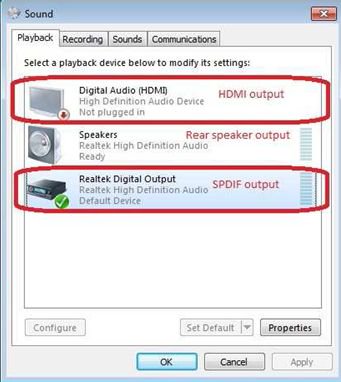
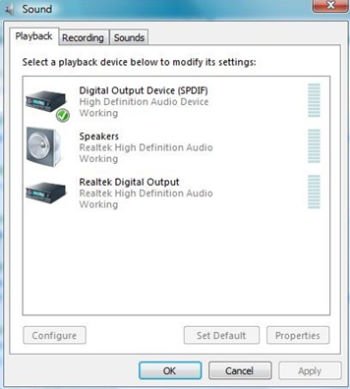
2. Please enter Control Panel > Hardware and Sound > Sound,
If you would like to output via HDMI, please select [HDMI output]
If you would like to output via SPDI, please select [Digital output]
*Different motherboard/chipset may show different information, above picture is for references only.
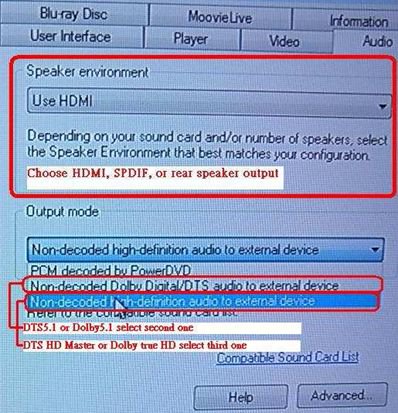
3. Enter the Audio settings in your application.
We take Power DVD 10 here for example: Choose the Speaker environment and Output modes as you want.
4. Set your decoder/amplifier to the digital sound output, which you want.
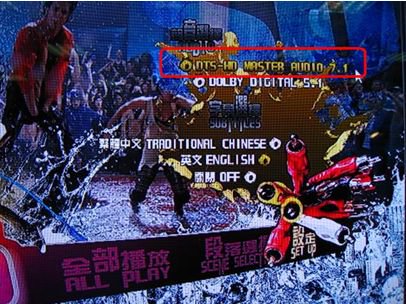
5. Set the correct output format on your content /source manual.
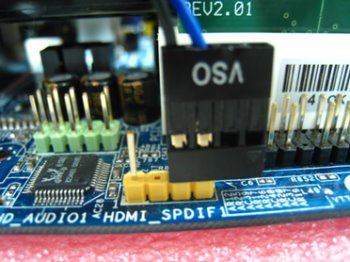
Question: When I connect a HDMI_SPDIF cable from the HDMI VGA card (GTX260 or GF9800) to the onboard HDMI_SPDIF header, it cannot get sound from the HDMI output. What should I do?(11/27/2008) Answer: The pin definition of the onboard HDMI_SPDIF header is different from the header of some VGA cards.
Please plug in the HDMI_SPDIF cable reversely like following picture.
Question: I am a 939Dual-VSTA user. At first, my onboard audio works fine with integrated audio driver under Vista™. After updating to Vista service pack 1, my onboard audio does not work anymore. Can you help me?(9/5/2008) Answer: Please update the C-Media audio driver 8.18.07_SPDIF to fix the problem. The audio driver is available at https://www.asrock.com/mb/download.asp?Model=ALiveDual-eSATA2&s=AM2
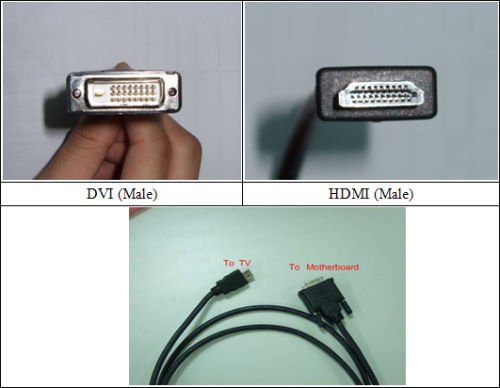
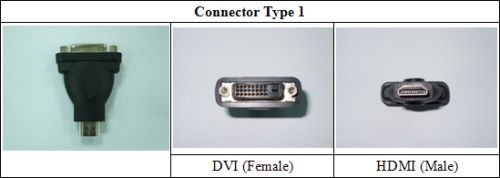
Question: ALiveNF7G-HD720P/ALiveNF7G-HDready support HDMI output?(6/25/2007) Answer: Yes, ALiveNF7G-HD720P/ALiveNF7G-HDready supports HDMI output.
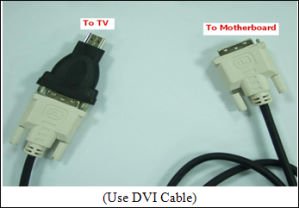
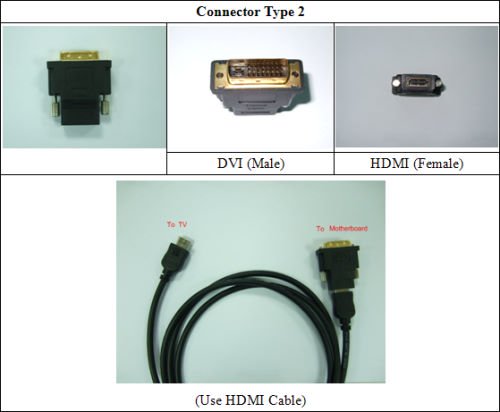
However, a DVI to HDMI cable or adapter is required.
DVI to HDMI cable
DVI to HDMI Connector
Besides the DVI to HDMI cable/adapter, please also do the following settings in BIOS SETUP and Windows® Vista™/Vista 64-bit:
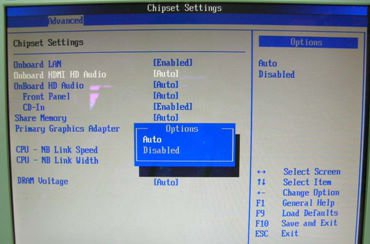
1.In BIOS SETUP, go to "Advanced"->"Chipset Configuration", and set the option "Onboard HDMI HD Audio" to [Auto].
2.Under Windows® Vista™/Vista 64-bit, go to "Sound" settings and select the Digital Output Device (SPDIF) as a playback device.
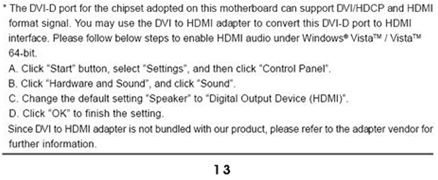
You can find more detail information in user manual page 13: