| |
|
 |
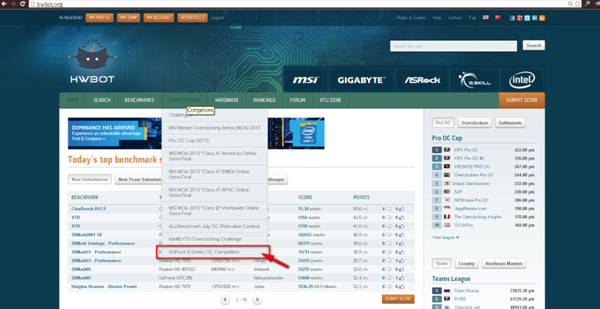
Visit http://hwbot.org/ →COMPETITONS |
|
Or visit http://hwbot.org/competition/asrock_z87_contest/ |
| |
|
|
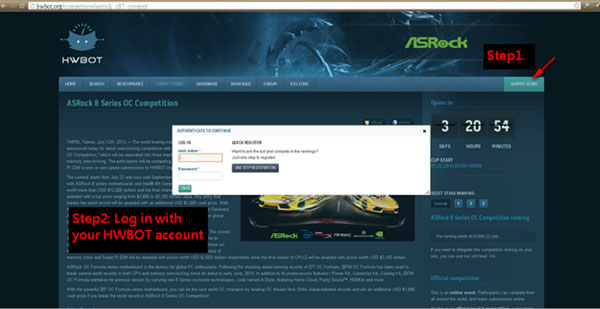
- Click “Submit Score” at the up right corner Then Log in with your HWBOT account
|
| |
|
|
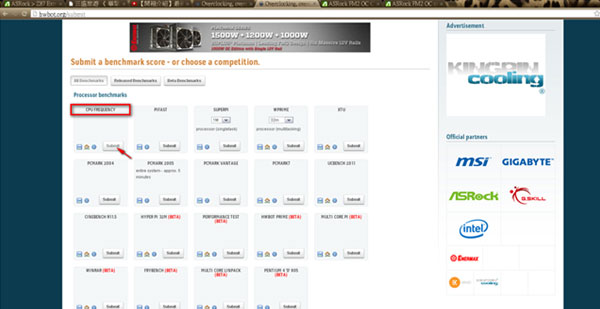
Click “submit” in the “CPU Frequency” (http://hwbot.org/submit) |
| |
|
|
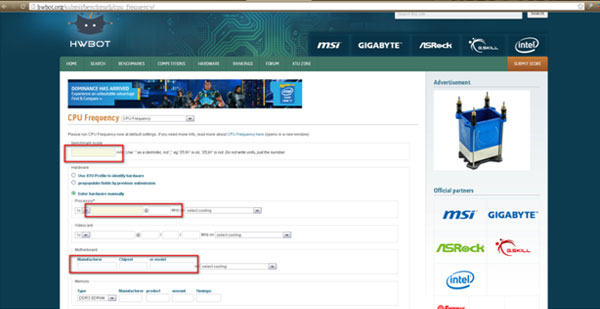
- You will be directed to http://hwbot.org/submit/benchmark/cpu_frequency/
Please fill in below columns: |
| |
• Benchmark score
• Check "Enter hardware manually"
• Processor
• Motherboard (includes manufacturer, chipset, or model) |
| |
|
| |
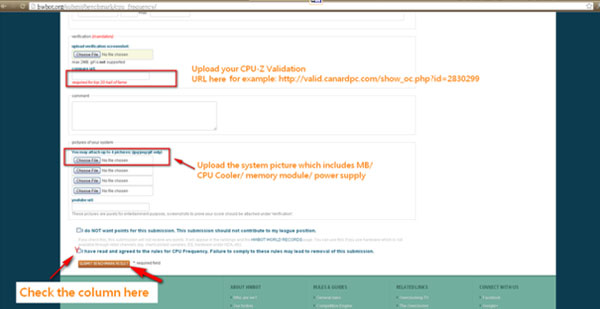
• Paste your CPU-Z validation URL in the “compare URL”
• Check the box “I have read and agreed to the rules for CPU Frequency. Failure to comply with these rules may lead to removal of this submission.”
• Then click “Submit benchmark result” |
| |
|
| |
Now you are qualified for the ASRock 8 Series OC COMPETITION |
| |
|