We use cookies to offer you a more personalized and smoother experience. By visiting this website, you agree to our use of cookies. If you prefer not to accept cookies or require more information, please visit our Privacy Policy.

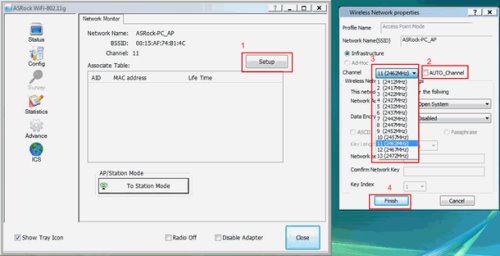
Question: I use the ASRock WiFi card as software AP. However there are some APs around my place; how do I change the channel of the software AP to avoid the interference?(2/14/2008) Answer: Please refer to the following steps to change the channel of software AP.
1.Click "Setup" to go into "Wireless Network properties.
2.De-select "Auto_Channel"
3.Choose the channel you want. (suggest to choose the channel 1 or 6 or 11, these channels are less interference with others)
4.Click "Finish" to finish the setup.
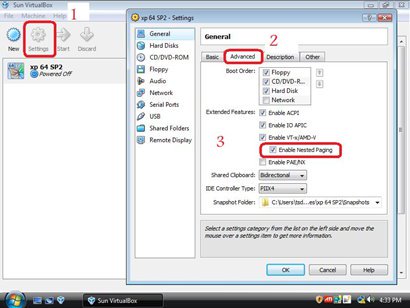
Question: I can not virtual 64bit OS, when I adopt AMD® CPU with Sun's xVM virtual Box software. How can I do?(6/25/2009) Answer: 1. Please make sure your OS is 64bit and also check your CPU, whether support AMD-V.
2. [Enable] [Secure Virtual Machine] option in the BIOS.
3. Please check the [Enable Nested Paging] box in Sun's xVM virtual box software.
And then you can virtual 64bit OS.
Question: The "Record & Stream" menu does not appear in the AMD Radeon software. How can I fix it?(6/30/2023) Answer: Please follow the steps below to disable the iGPU.
This problem happens when using an AM4 motherboard and APU (CPU with integrated graphics), if you also have an AMD discrete graphics card and the Compatibility Support Module (CSM) is disabled in BIOS.
1. Go to BIOS\Advanced\AMD CBS\NBIO Common Options\GFX Configuration and set iGPU Configuration to "Disabled”.
2. Press hotkey "F10” to save settings and exit the BIOS setup.
3. Boot into the OS and check if the "Record & Stream" menu appears in the AMD Radeon software.
Question: My system has hardware monitoring software installed, such as HWiNFO64. My computer fails to boot after restarting. What should I do?(5/14/2025) Answer: On the AMD AM5 platform, restarting the system while hardware monitoring software is running may cause a reboot to fail.
If your system can boot normally but encounters issues during a restart, please close all hardware monitoring software and try restarting the system again.
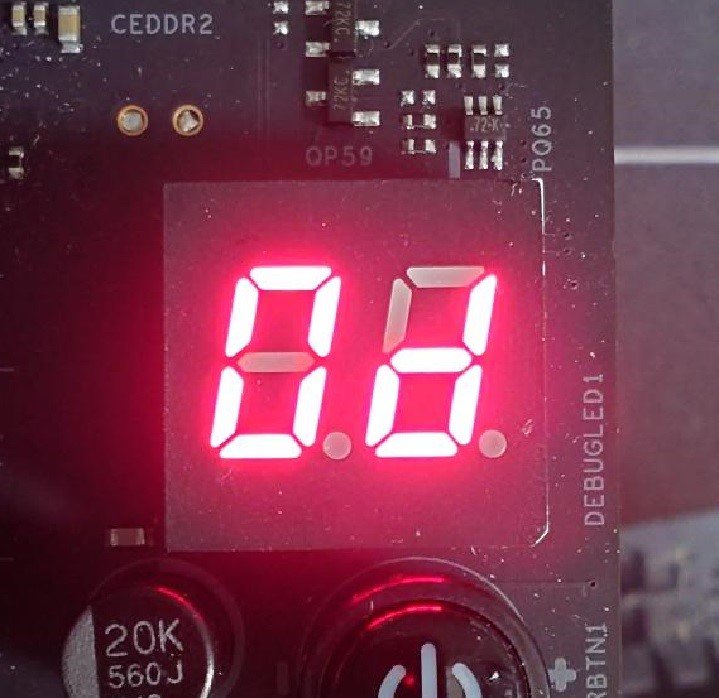
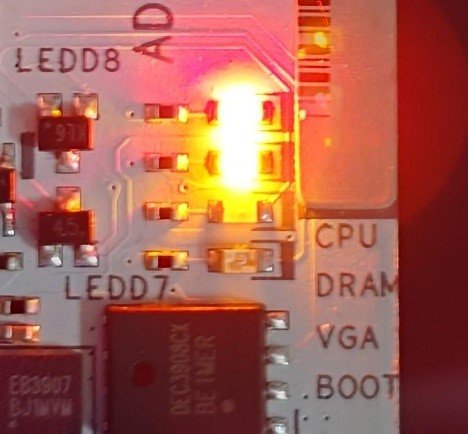
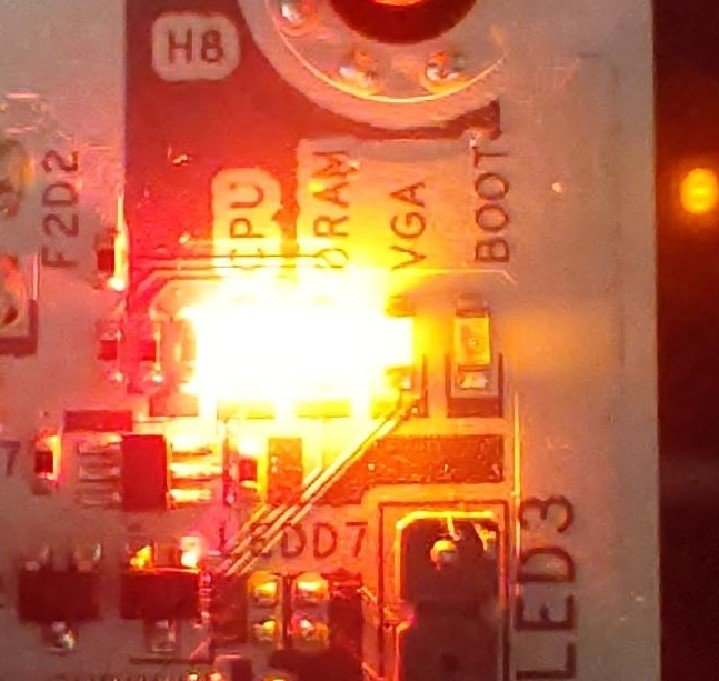
When the system fails to reboot properly, the motherboard's "Dr. Debug” display and "Post Status Checker (PSC)” may show the following statuses:
X870E Nova WiFi
X870 Pro RS
X870 Steel Legend WiFi
Dr. Debug display "0d”.
The CPU and DRAM LEDs will remain solidly lit.
The CPU LED will remain solidly lit, and the DRAM LED will blink.