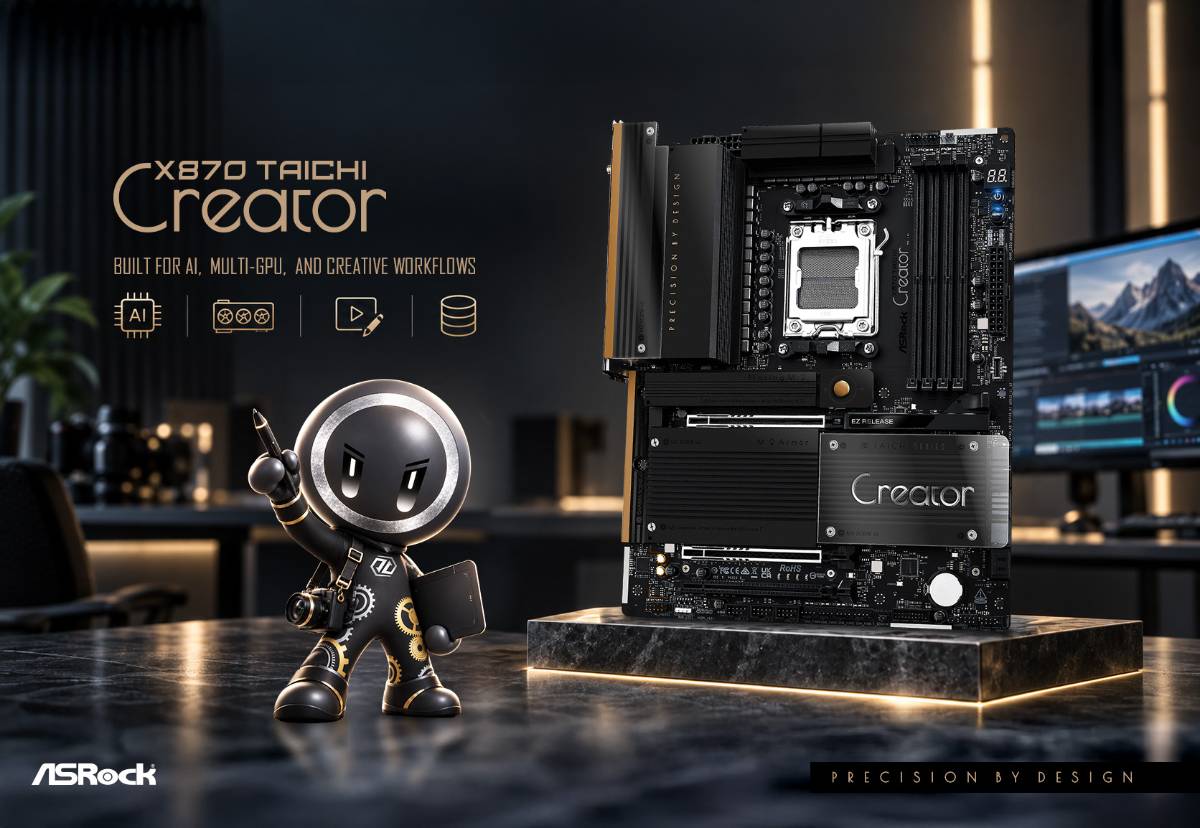
Why Creators Should Choose the X870 Taichi Creator
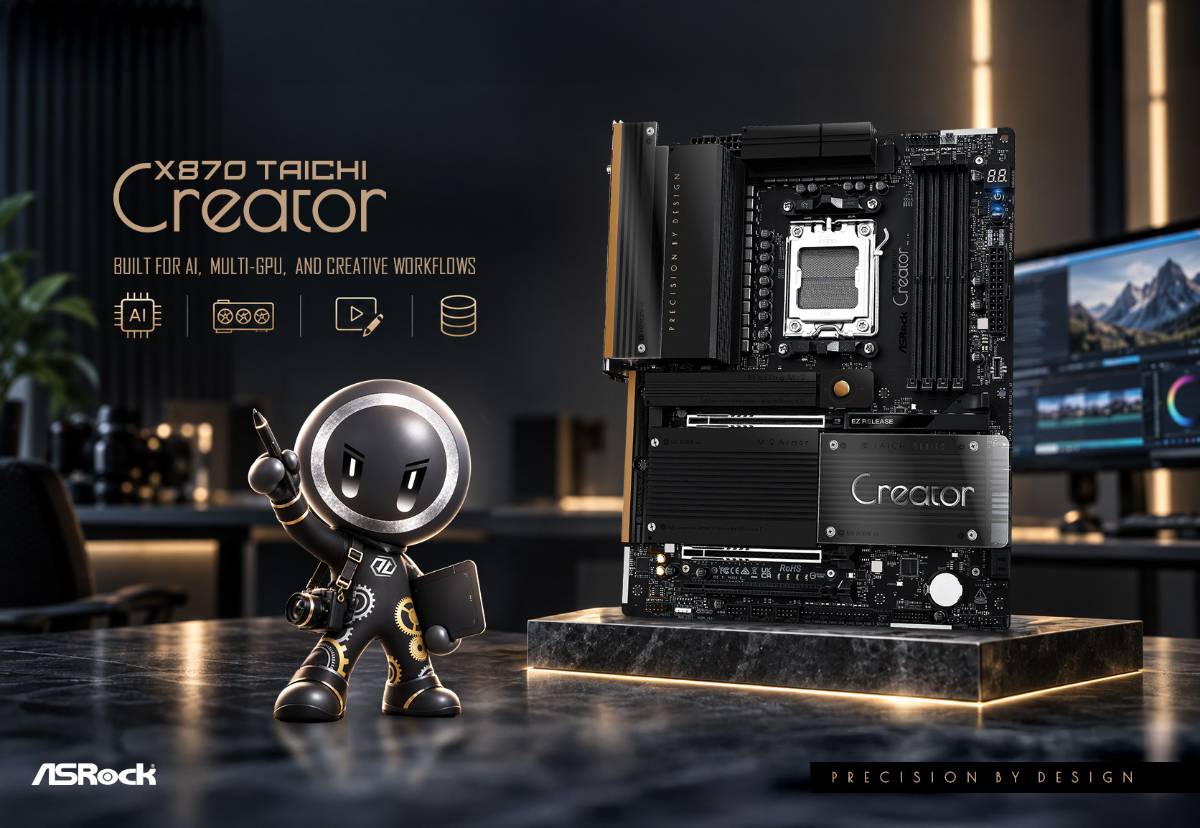
Built for AI, Multi-GPU, Visual Production, and High-Speed Creative Workflows
Modern creative work is no longer defined by a single application or component.
A video editor may move hundreds of gigabytes of footage between a NAS and local SSDs. A 3D artist may rely on GPU rendering while simultaneously loading large project assets. An AI developer may need multiple GPUs for model inference, fine-tuning, or image generation. A production studio may connect high-speed storage, audio devices, cameras, and network resources to the same workstation.
Different creators have different workloads, but they share one requirement: moving, processing, and creating data without unnecessary bottlenecks.
The ASRock X870 Taichi Creator was developed around that requirement. Instead of focusing only on peak CPU performance, it brings together multi-GPU expansion, high-speed storage, 10GbE networking, USB4, Wi-Fi 7, and creator-focused usability features into a single AM5 platform.
Who Is the X870 Taichi Creator For?
The X870 Taichi Creator is designed for users whose workflows depend heavily on GPUs, large project files, high-speed storage, fast networking, and professional external devices.
It is particularly well suited for:
- • AI development and local AI workloads
- • Multi-GPU computing and GPU rendering
- • 3D modeling, VFX, and visual design
- • 4K and 8K video editing
- • High-speed NAS and network storage
- • Professional external storage and USB devices
- • Content creation workstations that require frequent upgrades and maintenance
If your creative workflow relies on GPUs, large files, high-speed storage, or fast network connectivity, the X870 Taichi Creator is designed specifically around those requirements.
To better understand how these features translate into real-world benefits, let’s look at several common creator workflows.
From AI development and multi-GPU computing to visual production, video editing, and NAS-based collaboration, each workload places different demands on the platform.
1. AI Development and Multi-GPU Computing
Why does multi-GPU support matter for AI developers?
Generative AI and local AI workloads increasingly depend on GPU computing.
Applications such as local large language models, image generation, AI model training, fine-tuning, GPU-accelerated computing, and professional rendering can benefit from having more than one GPU available in the system.
However, having two PCIe x16 slots on a motherboard does not necessarily mean that installing two modern high-end graphics cards is practical.
Large GPUs can occupy 3-slot, 3.5-slot, or even more expansion slots. As a result, physical PCIe slot spacing can become just as important as electrical PCIe support.
The X870 Taichi Creator addresses both requirements.
It provides:
- • 2 x PCIe 5.0 x16 slots (x16 or x8/x8 operation)
- • Wider PCIe slot spacing
- • Support for dual 3.5-slot graphics cards
The wider slot layout makes the board particularly suitable for AI workstations, GPU rendering systems, and other applications where two large graphics cards need to operate in the same system.
For many gaming-oriented PCs, one powerful GPU is the priority. A creator workstation may have very different requirements.
That is one of the key distinctions of the X870 Taichi Creator: its expansion layout is designed with multi-GPU workstation scenarios in mind, rather than treating the second PCIe slot as an occasional extra.
2. 3D Rendering, Visual Design, and GPU-Accelerated Creation
What does a visual creator need beyond a fast GPU?
A fast GPU is important for Blender, Cinema 4D, Unreal Engine, VFX, CAD, visualization, and other GPU-accelerated creative applications.
But the GPU is only one part of the workflow.
A typical production pipeline may look more like this:
Project Assets → SSD → Memory → GPU → Rendering → Storage
If any part of that chain becomes a bottleneck, overall productivity can suffer.
Large textures, high-resolution assets, simulation caches, and project files may need to move repeatedly between storage and memory before they are processed by the CPU or GPU. That makes storage bandwidth, memory capacity, platform stability, and PCIe expansion important alongside raw processing performance.
The X870 Taichi Creator provides:
- • Dual PCIe 5.0 x16 expansion
- • Four M.2 slots
- • Two PCIe Gen5 x4 M.2 slots
- • Four DDR5 DIMM slots
- • 18+2+1 phase, 80A SPS power design
- • 8-layer PCB
The goal is not simply to provide a long specification list.
It is to allow high-performance GPUs and high-speed project storage to coexist on the same platform, reducing potential bottlenecks when working with demanding creative applications.
For creators working on large 3D scenes, GPU rendering, animation, visual effects, or real-time visualization, that balanced platform design can be more useful than optimizing a motherboard around gaming performance alone.
3. 4K/8K Video Editing and Post-Production
Why are storage and connectivity so important for video creators?
High-resolution video production produces large amounts of data.
Editors may regularly work with:
- • 4K / 8K source footage
- • RAW video files
- • Proxy media
- • Cache and scratch disks
- • External SSDs
- • Camera and capture devices
- • External SSDs
- • Audio interfaces
- • NAS-based project storage
In these workflows, waiting for data to transfer can directly reduce productivity.
The X870 Taichi Creator combines several high-bandwidth interfaces to help keep that data moving.
Key features that help streamline creative workflows:
• High-Speed Local Storage
The motherboard provides four M.2 slots, including two PCIe Gen5 x4 M.2 slots.
High-speed NVMe storage can be used for operating systems, active projects, source footage, cache files, or other workloads where fast access is important.
• Dual USB4 for High-Speed External Devices
The X870 Taichi Creator includes two USB4 Type-C ports supporting up to 40Gb/s, along with a front USB Type-C connection supporting up to 20Gb/s.
This provides additional flexibility for high-speed external SSDs and professional peripherals used in video production workflows.
• Ultra USB Power for Professional USB Devices
Four USB ports also feature Ultra USB Power, designed to provide stable, low-noise 5V power.
For creators, USB connectivity is therefore not simply about the number of ports available. Stable power delivery and high transfer bandwidth can both contribute to a more reliable production environment.
This can be particularly useful when connecting devices such as:
- • USB DACs
- • Audio interfaces
- • External storage devices
Creator Insight: Why USB4 Matters for Content Creators
Creative workflows often involve moving large files between a workstation and external storage. For video editors and other content creators, high-speed connectivity can help reduce the time spent transferring footage, project files, backups, and media libraries.
With bandwidth of up to 40Gb/s, USB4 provides a high-speed connection for compatible external SSDs and other professional devices, helping keep large-file workflows moving efficiently.
4. NAS, Studio Collaboration, and Data-Heavy Workflows
Why does 10GbE matter for creators?
Not every creative project stays on a local SSD.
Professional creators and studios increasingly use NAS systems for:
- • Shared project files
- • RAW photo libraries
- • 4K/8K video footage
- • Asset libraries
- • Network backups
- • Collaboration between multiple workstations
In these environments, network bandwidth can become one of the biggest workstation bottlenecks.
The X870 Taichi Creator includes both:
- • 10GbE LAN
- • 5GbE LAN
It also supports Wi-Fi 7.
The dual wired networking design allows creators to build more flexible network configurations. For example, one connection can be dedicated to high-speed NAS or storage traffic while another handles Internet access or a secondary network.
Combined with dual Gen5 M.2 storage and USB4, the platform can support a high-bandwidth workflow such as:
NAS → Workstation → Local SSD → External Storage
This makes the X870 Taichi Creator especially relevant for production environments where large files continuously move between local and network storage.
The board was specifically designed around high-speed NAS collaboration, external storage, large project workflows, and multi-device connectivity rather than treating networking as a secondary specification.
Why Choose X870 Taichi Creator Instead of Another ASRock Motherboard?
ASRock offers several motherboard families because different users prioritize different things.
A gaming PC, mainstream desktop, enthusiast system, and professional creator workstation do not necessarily need the same platform configuration.
| ASRock Motherboard Series | Best For | Design Priority |
| Taichi | Enthusiasts / flagship PC | Taichi motherboards are designed for enthusiasts seeking flagship features, premium hardware, and high-end performance. |
| Taichi Lite | Performance-focused enthusiasts | Taichi Lite focuses on retaining much of the high-end performance and hardware capability of the Taichi family while emphasizing value. |
| Steel Legend | Gaming / mainstream high-performance builds | Steel Legend provides a balance of performance, features, durability, and distinctive design for gaming and mainstream high-performance builds. |
| Pro RS | Mainstream users | Pro RS targets mainstream users who want a practical balance between specifications, functionality, and value. |
| Taichi Creator | Professional creators / AI / workstation |
Taichi Creator takes a different approach. Its platform resources are specifically prioritized around:
|
Why not simply buy another high-end motherboard?
Because a creator motherboard is not defined by CPU performance alone.
A creator workstation also depends on how efficiently data moves between GPUs, memory, local storage, NAS devices, and external peripherals.
The X870 Taichi Creator allocates its platform capabilities around those workloads.
For someone building a conventional gaming PC, some of these capabilities may not be essential. For a creator transferring hundreds of gigabytes of footage, rendering across multiple GPUs, accessing projects over 10GbE, or connecting multiple high-bandwidth peripherals, they can directly influence daily productivity.
That is the difference between simply having high-end specifications and having specifications selected around a specific workflow.
Is the X870 Taichi Creator Right for You?
Consider the X870 Taichi Creator if you:
- • Use multiple GPUs for AI, rendering, or professional computing.
- • Regularly work with 4K/8K footage or other large creative projects.
- • Need fast local NVMe storage for active projects, caches, or assets.
- • Use 10GbE NAS or high-speed network storage.
- • Depend on external SSDs and professional USB devices.
- • Need a workstation that can accommodate two large graphics cards.
- • Want an AM5 motherboard designed around professional creator workflows rather than primarily gaming use.
A creator workstation is ultimately a system for getting work done.
CPU and GPU performance matter, but so do the connections between every component involved in the workflow.
The X870 Taichi Creator brings together multi-GPU expansion, dual Gen5 M.2 storage, 10GbE + 5GbE networking, dual USB4, Wi-Fi 7, and creator-focused usability features in a platform designed around those connections.
The X870 Taichi Creator is not simply a high-end X870 motherboard. It is an AM5 platform designed around the way professional creators actually work.
FAQ
1.Is the X870 Taichi Creator good for AI workloads?
Yes. It is particularly suitable for GPU-based AI workloads because it provides two PCIe 5.0 x16 slots with x8/x8 support and wider PCIe spacing designed to accommodate two large graphics cards.
2.Can the X870 Taichi Creator support two large GPUs?
Yes. Its wider PCIe slot spacing is designed to support dual graphics cards up to 3.5 slots thick, making it suitable for multi-GPU AI, rendering, and workstation configurations.
3.Is the X870 Taichi Creator suitable for video editing?
Yes. Its dual USB4 ports, dual Gen5 M.2 support, four total M.2 slots, 10GbE networking, and high-speed external connectivity make it particularly suitable for workflows involving large 4K/8K video files.
4.Why is 10GbE useful for creators?
10GbE provides substantially more network bandwidth for transferring large project files between a workstation and compatible NAS or network storage. This makes it useful for video production, photography, shared asset libraries, backup, and studio collaboration.
5.What is the main difference between Taichi Creator and a gaming motherboard?
Gaming motherboards generally prioritize gaming performance, a primary high-end GPU, and gaming-focused features. Taichi Creator instead emphasizes multi-GPU expansion, high-speed networking, storage, external connectivity, and workstation usability for professional creative workflows.